How to Replace Sony MDR-7506 Ear Pads
ID: 154979
Description: psc=1 They are very high-quality and about the ...
Steps:
- CAUTION: For safe-handling (preventing damage or dislocation of the wires or other components) rotate the earcups to their inverse position about ~ 180° degrees from resting position.
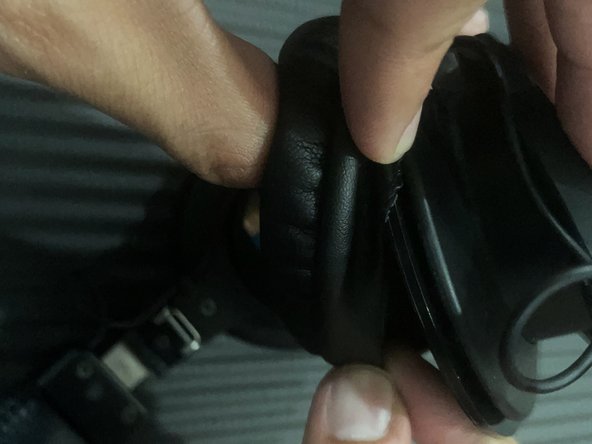
- Carefully peel the cushions off, closer to the seams, along the speaker's outer edge.
- Fully remove the ear pads without any yanking or excessive jerking motions.
- Repeat for the other side's ear pad.
- These replacement ear cushions appear to be high-quality, come with a warranty, and a set of instructions (as shown in the first image).
- Also, "hear" is a quick comparison between the tattered/old ear cushions (left) and the new ear cushions (right).
- Place the new headphone cushions flush to each of the speakers' edges (padded-side facing outward from speaker).
- Align with proper orientation of side-lengths.
- The first image in this step is misaligned and can lead to tearing or inconvenience, once fixating begins.
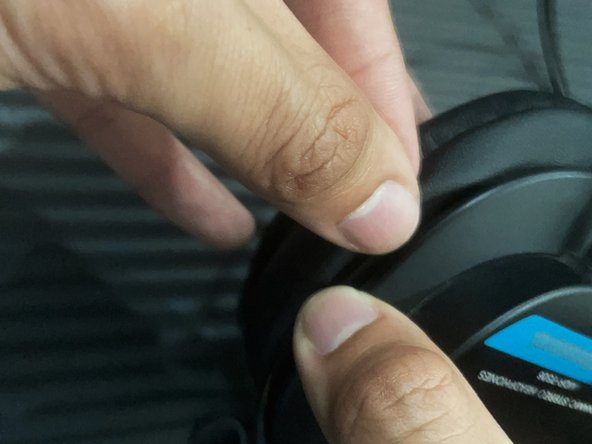
- Begin wrapping the ear cushions by securing the leather around the edges of each speaker. Insert the non-cushion side flaps into the allotted crevice.
- Work around the edges of each speaker until complete.
- Initial stretching for proper fitment may be required; however, carefully hold down the wrapped parts in place while pulling the free lip over the speaker edges - as shown in the second image.
- Finally, check around the ear pads to ensure they are completely wrapped and secure.
- For any mistakes, misalignments, or loose ends, this process may be repeated or small corrections can be made (avoid tearing by removing ear pads completely for large adjustments).