YCCTEAM YCC-SW4001 ABXY Buttons Replacement
ID: 171817
Description: The ABXY buttons are important because they are...
Steps:
- Use a Phillips screwdriver to remove the eight 9.15 mm screws that secure the rear case.
- Use an opening pick to pry the back cover off of the controller.
- Use a Phillips screwdriver to remove the three 9.15 mm screws from the back of the controller.
- On some models there are two more Phillips head screws on the sides that need to be removed before the front and back panels can be separated.
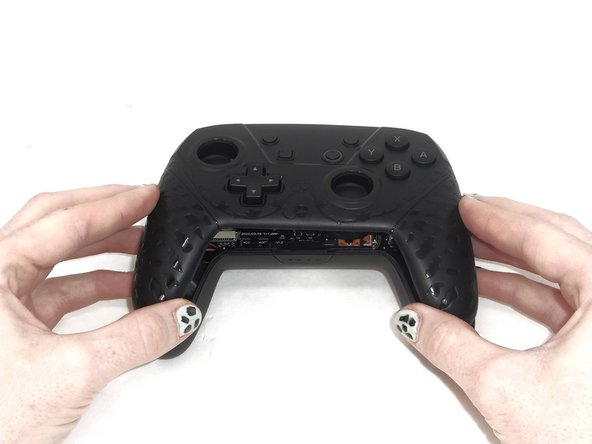
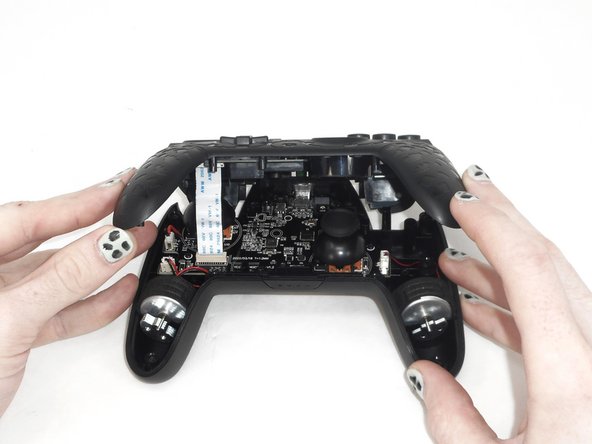
- Slightly lift the front case.
- Do not remove the front cover completely; it is still attached to the motherboard by a white ribbon cable.
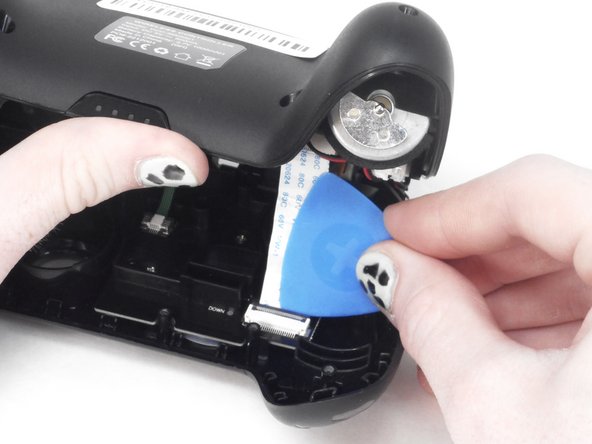
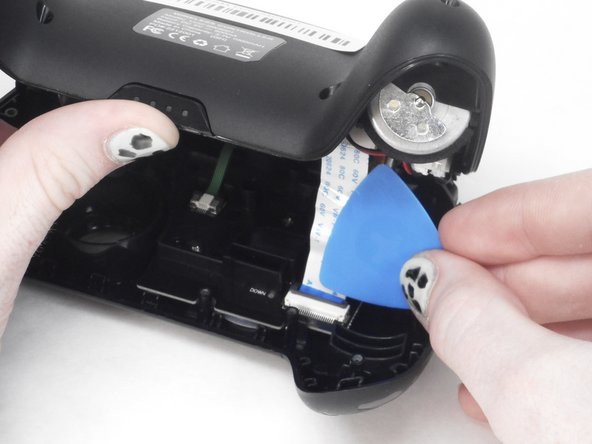
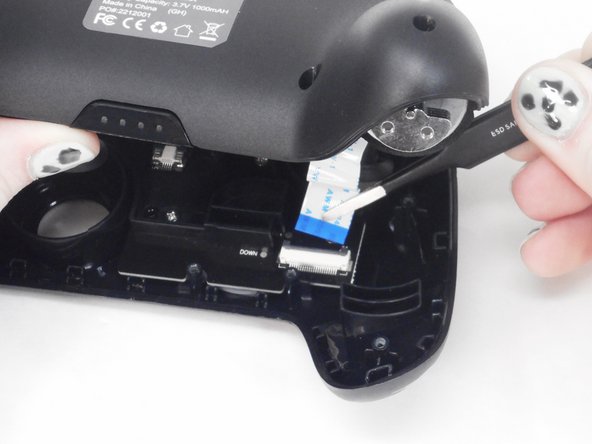
- Use the tip of the opening pick to flip up the black locking flap of the ZIF connector.
- The black flap holds the white ribbon cable in place.
- Use tweezers to disconnect the white ribbon cable from the ZIF connector.
- Remove the front case.
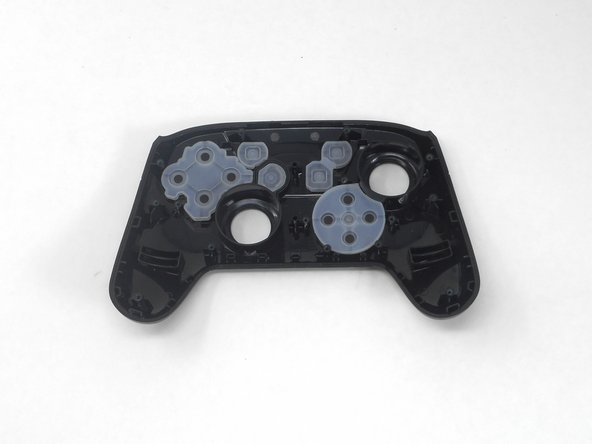
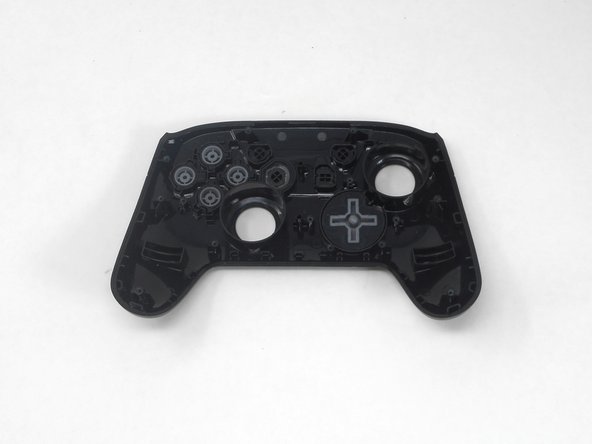
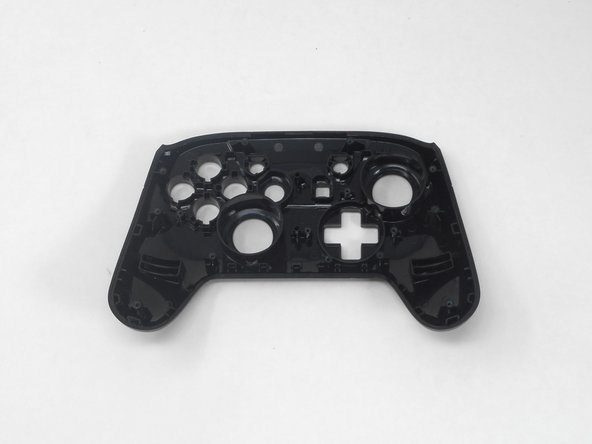
- Isolate the front cover.
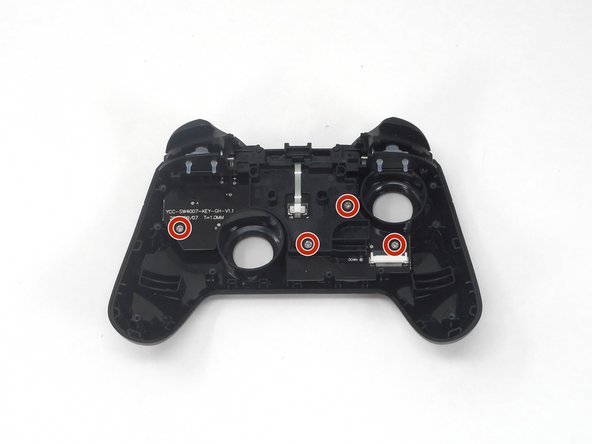
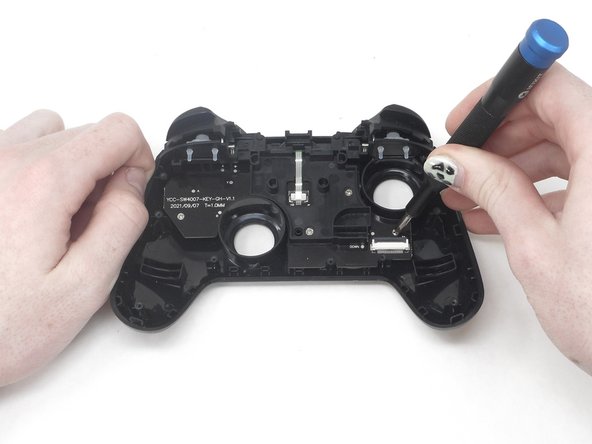
- Flip over the front cover and remove the four 5.77 mm screws from the back of the front cover using the Phillips #1 Screwdriver.
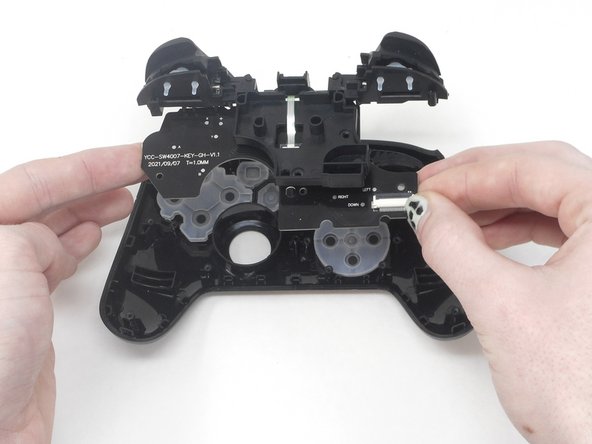
- Lift the circuit board from the front cover to expose the back of the buttons.
- Remove the rubber caps and the button caps by either dumping them out or taking them out by hand.