PSKONTORORA LBER-P4-05 Vibration Motor Replacement
ID: 171946
Description: Is your controller not vibrating no matter what...
Steps:
- Remove the two 10 mm Phillips #1 screws that secure each of the handle grips.
- Pull off the handle grips.
- Remove the four 9 mm Phillips #1 screws that secure the rear case.
- Lift off the rear case from the controller.
- Use blunt tweezers to pull the white battery motherboard connector directly out of its port.
- Gently peel the battery off of the motherboard.
- Be sure not to bend or puncture the battery during removal.
- Remove the two 7 mm Phillips #1 screws that secure the motherboard.
- Flip up the black ZIF locking flap that secures the touchpad ribbon cable on the top-right edge of the motherboard.
- Use tweezers or your fingers to gently disconnect the touchpad ribbon cable.
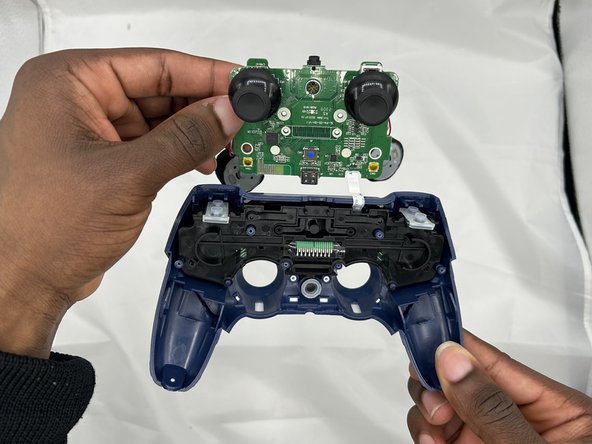
- Lift the motherboard up and out.
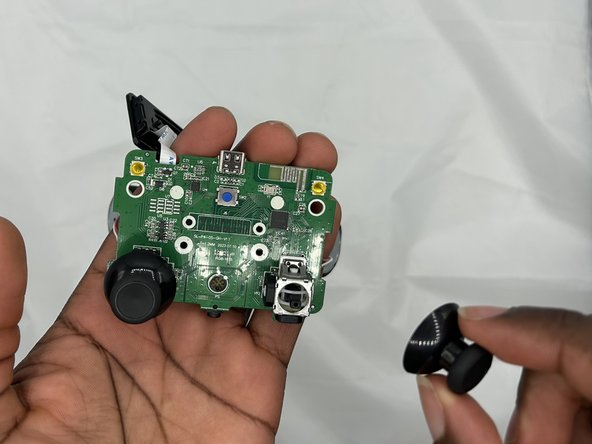
- Use your fingers to pull the joystick covers directly up and off the modules.
- Clean or replace the joystick covers as necessary.
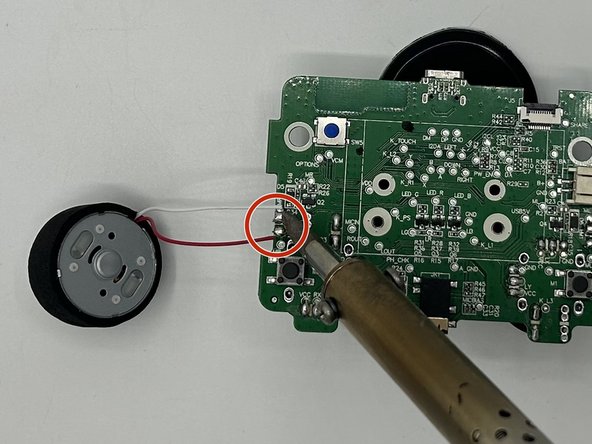
- Prop the motherboard up with a non-flammable material.
- Carefully desolder each of the vibration motor motherboard connections.
- Take note of which wires belong where.
- Be sure to solder in a well-ventilated area and take appropriate safety precautions.
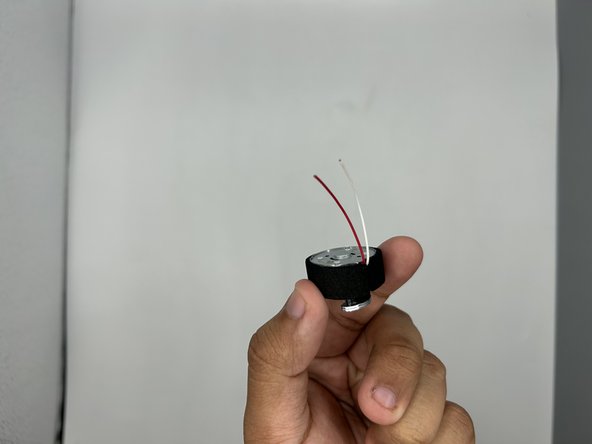
- Remove the vibration motors.