JBL Pulse 4 Charging Port Replacement
ID: 171948
Description: Welcome to the JBL charging port replacement...
Steps:
- Power off JBL Pulse 4 before starting any repairs.
- Hold the power button for 3 plus seconds to power down the device.
- Remove each rubber end cap using an plastic pry tool.
- Go around each end of the speaker slowly popping up a small section of the rubber cap at a time until there is a gap on all sides.
- The cap can be easily removed by hand.
- Do not use a metal object or you will scratch the casing or tear the rubber end caps.
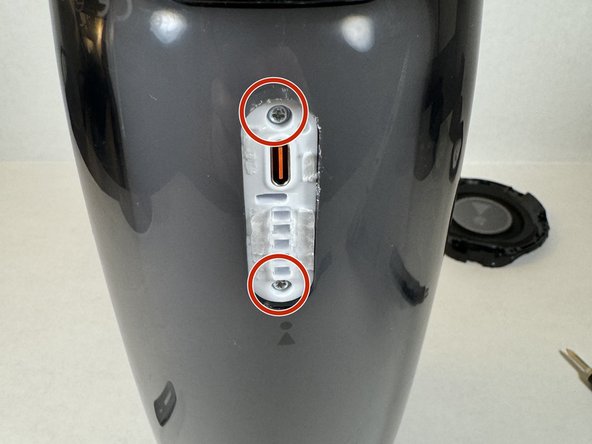
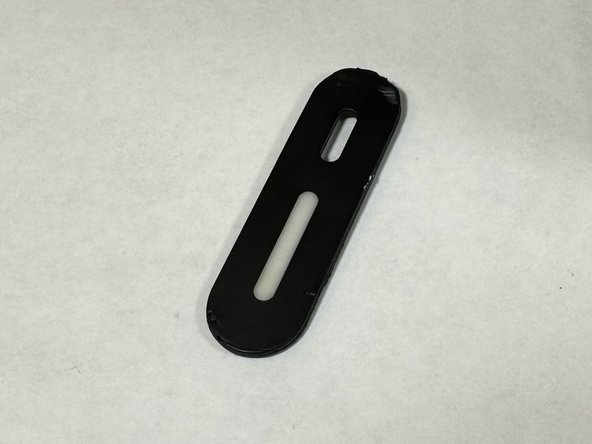
- Carefully remove the charging port cover using a plastic pry tool.
- Remove the two Phillips head screws.
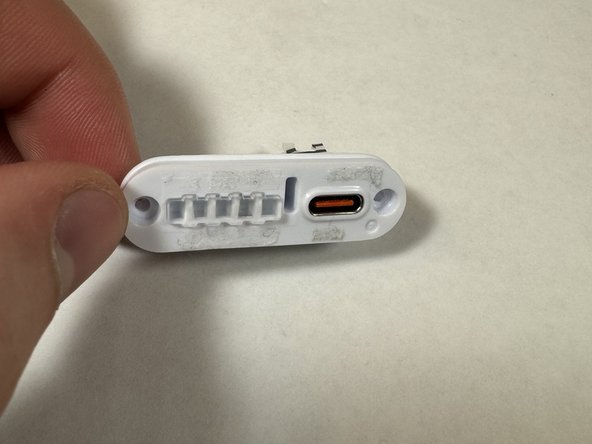
- The charging port assembly will be revealed.
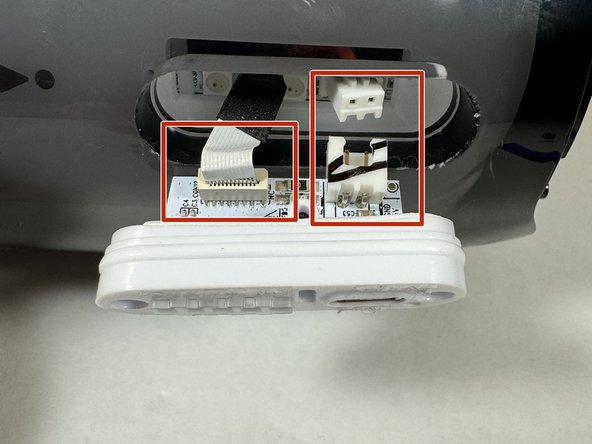
- Pull the charging port assembly out of the casing.
- Be careful and don't remove the assembly fully to avoid damaging the wires.
- Carefully disconnect the two wires attached to the assembly.
- Now you can reassemble the speaker reversing the steps provided to take it apart.