EasySMX ESM-9110 Vibration Motor Replacement
ID: 172080
Description: This guide is a detailed process on how to...
Steps:
- Use a Phillips #000 screwdriver to remove the two 10 mm screws from the back of controller.
- Insert a plastic opening tool into the slit on the side of controller.
- Wiggle the tool until the cover becomes loose.
- Repeat this on the other side of Controller.
- Go slow. Take your time removing the handle covers.
- Remove the faceplate.
- Repeat on the other side of the controller.
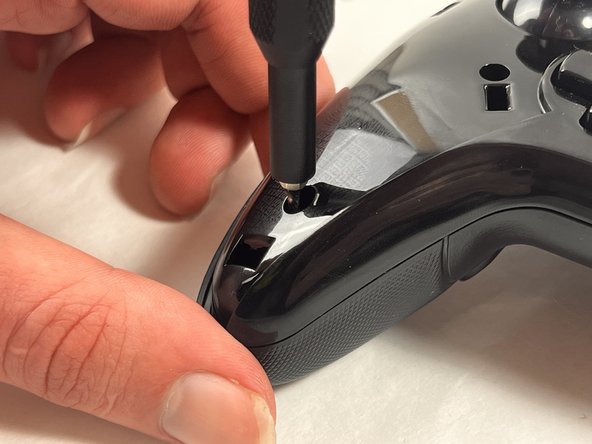
- Use a Phillips #000 screwdriver to remove the four 20 mm screws from the controller's faceplate.
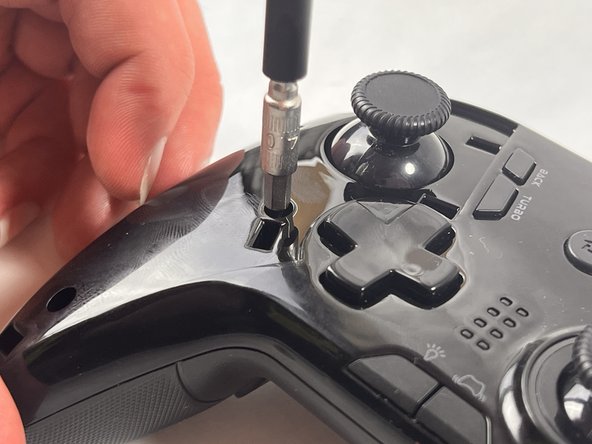
- Use a Phillips #000 screwdriver (a screwdriver bit extension may be needed) to remove the two 20 mm screws from the controllers faceplate.
- The screw extender should only be used to unscrew two of the six screws. Do not use it for all six.
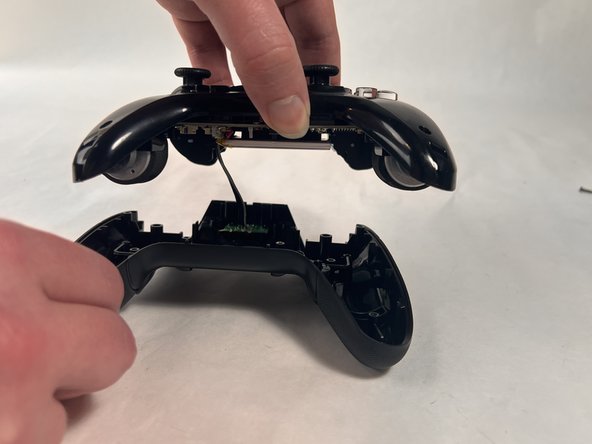
- Remove the faceplate of the controller by lifting it directly up from the backplate.
- Be gentle, the controller's backplate is still attached. Do not move the controller too roughly.
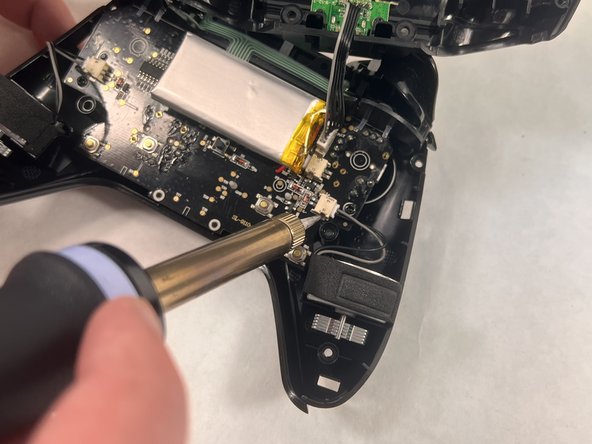
- Locate the parts of the vibration motor that are connected to the motherboard
- Solder these parts of the vibration motor to remove them.
- There should be two connectors present in your controller, one for each vibration motor.