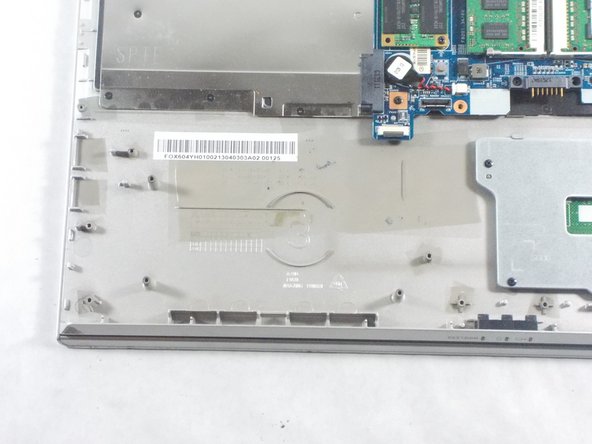
Sony Vaio SVT151A11L USB Port Board Replacement
ID: 100306
Description: The USB Port and Board are used to read data...
Steps:
- Flip the laptop over so that the battery on the underside of the device is revealed.
- Unscrew the two 11mm slotted silver screws that can be found at the top of the battery.
- Wedge the plastic opening tool between the back panel and the battery on the top left side of the device.
- Push down on the plastic opening tool until the battery lifts from the back of the laptop.
- Grab the battery and remove it from the device.
- Unscrew the three 4mm screws using a JIS #0 screwdriver.
- Unscrew the eight 7 mm screws using a JIS #0 screwdriver.
- Grab and lift the edge of the panel to pull it free from the rest of the computer.
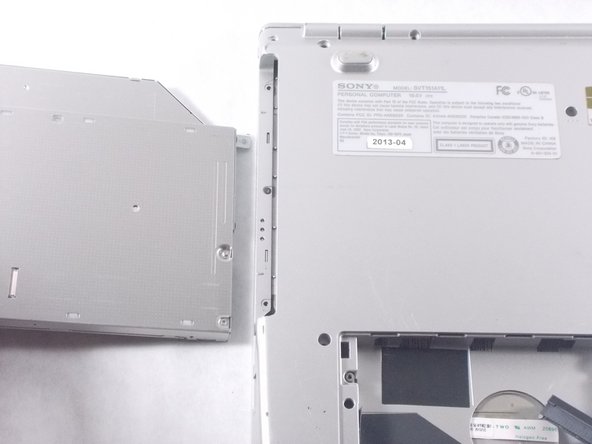
- Grab the disk drive located at the edge of the computer and pull it it out.
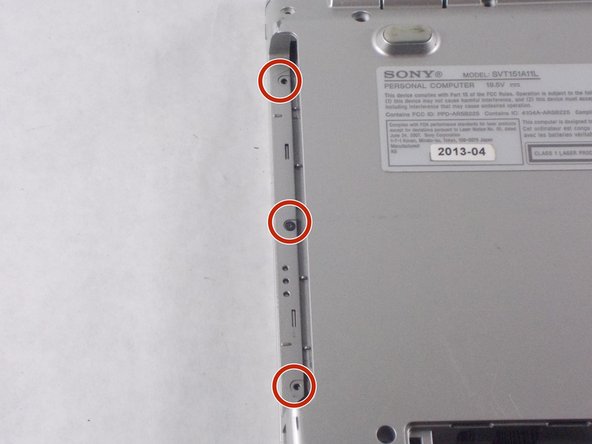
- Unscrew the three 7 mm screws with a JIS #0 screwdriver.
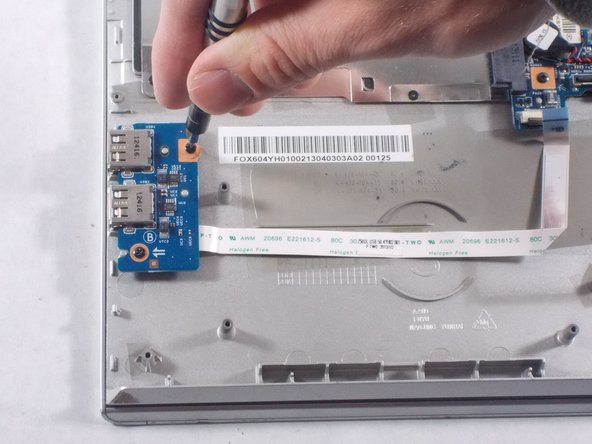
- Use a JIS #0 screwdriver to unscrew the two 4mm screws from the board.
- Lift board and peel the ribbon cable from the computer.
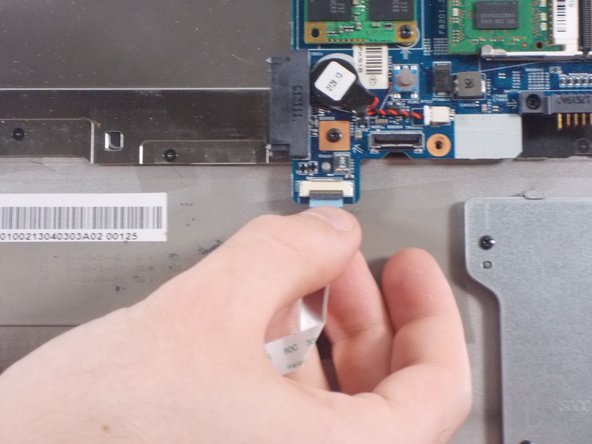
- Lift and pull the end of the ribbon cable to remove it from the slot.