Dell Optiplex 745 Small Form Factor Processor Replacement
ID: 100311
Description: In this guide, we will show you how to take out...
Steps:
- Pull the tab and the lid will pop up.
- Grab the lid and pull it up and off.
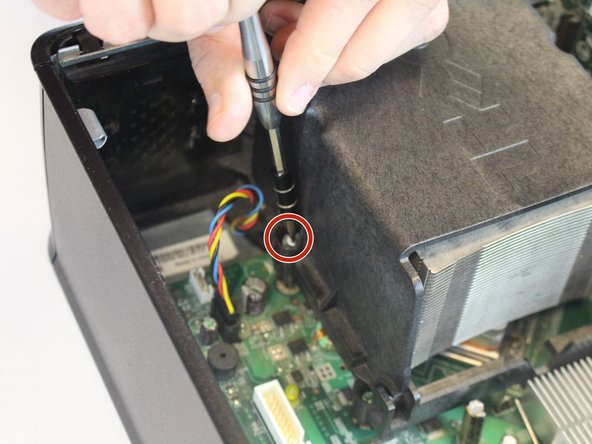
- The processor is located inside the heat sink (indicated by the marker).
- Unscrew the 9.5 mm screws from heatsink on both sides using the Phillips #2 screwdriver.
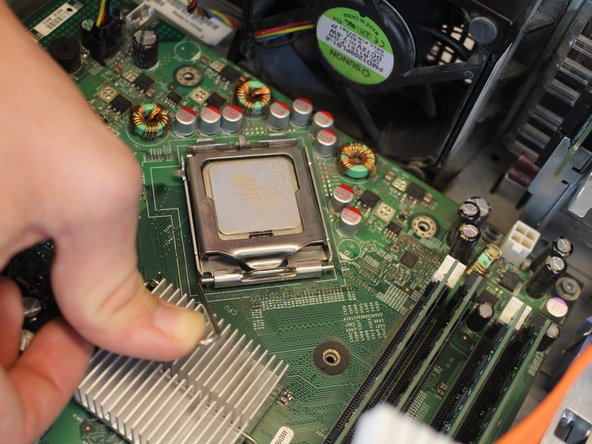
- If the processor is glued on to the heat sink, gently scrape off the glue and detach it from the device.
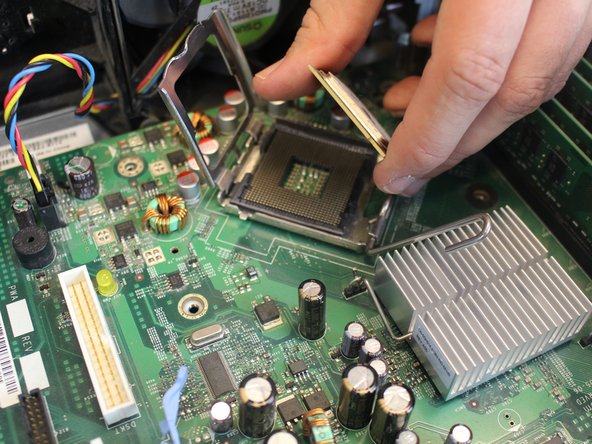
- Push the small lever downwards, then sideways and upwards, in order to release it from the hook.
- Remove the processor from its casing.