Shark Rocket Powerhead AH401 Panel Screws Replacement
ID: 103084
Description: To access the motors, the belt, and the...
Steps:
- Ensure the device is turned off and unplugged from any power source before beginning work.
- Locate the two tabs with white arrows on them. They are located on either side of the brushroll cover.
- Slide the tabs away from the center of the vacuum to unlock the brushroll cover.
- Lift the brushroll cover upward.
- Lift the brushroll out by pulling the tab labeled "pull".
- Ensure the device is turned off and unplugged from any power source before beginning work.
- Push down on the dust can lever to release the dust can in order to get to the filter grill.
- Remove the dust cup by lifting it off the dock.
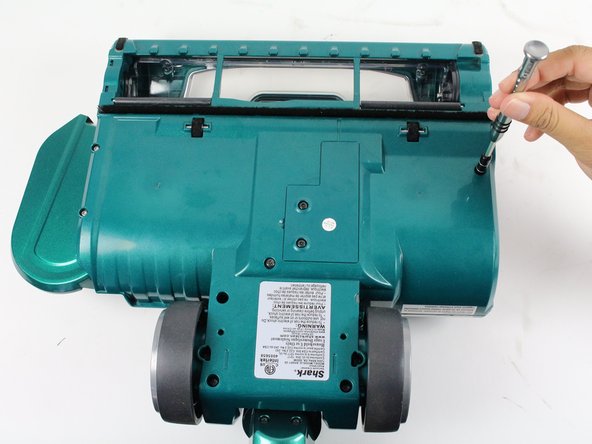
- Flip the device over so that the bottom is face up.
- Remove the eight screws shown by rotating counter-clockwise with a T15 Torx screwdriver.
- Two 14 mm Torx screws
- Two 16 mm Torx screws
- Four 21 mm Torx screws