Toshiba Satellite C55-B5200 Keyboard Replacement
ID: 105087
Description: Standard Keyboard with 10-key and touchpad with...
Steps:
- Turn the laptop off and remove all sources of power.
- Flip the laptop over so that way the bottom is facing towards you.
- Remove the two 6.6mm Phillips #0 screws from the battery.
- Pull the battery out of the laptop.
- Remove the thirteen 6.6mm Phillips #0 screws on the back of the device.
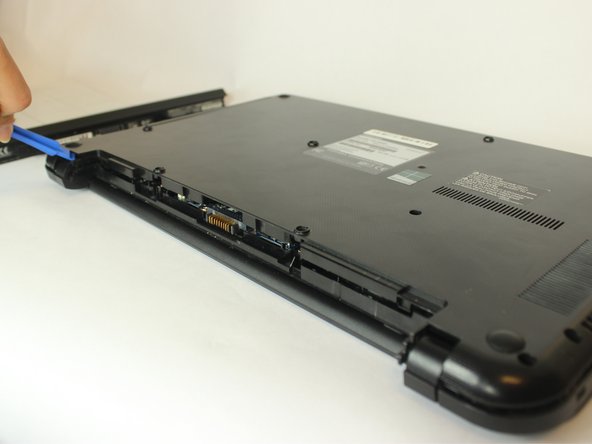
- Use a plastic opening tool to lift and remove the bottom panel.
- Remove the six 2.3mm Phillips #0 screws from the motherboard.
- Use a pair of tweezers to lift up the tab on the ZIF connector and pull out the ribbon cable.
- Disconnect the wires from the motherboard.
- Lift and remove the disk drive.
- Lift and remove the hard drive.
- Lift up the motherboard
- Use tweezers to carefully peel apart IDE ribbon cables connected from motherboard to keyboard
- Use a plastic opening tool to unlatch the keyboard from the device
- Lift the keyboard off the laptop, careful of the IDE ribbon cable