ZTE Lever Rear Camera Replacement
ID: 105111
Description: Follow this guide to do a rear camera...
Steps:
- Remove the SD card and the Sim card from the device.
- The Sim and SD cards are not shown here as our device did not come with them.
- Use an iFixit opening tool to separate the back from the device.
- Remove the two 1.6mm Phillips #0 screws from the battery plug cover.
- Remove the cover.
- Disconnect the battery cable from the motherboard with a plastic opening tool.
- Use your hands, or a plastic opening tool, to pry the battery from the phone.
- Remove the three 1.6mm Phillips #0 screws from the plastic cover on the motherboard.
- Remove the top plastic motherboard cover using a plastic opening tool.
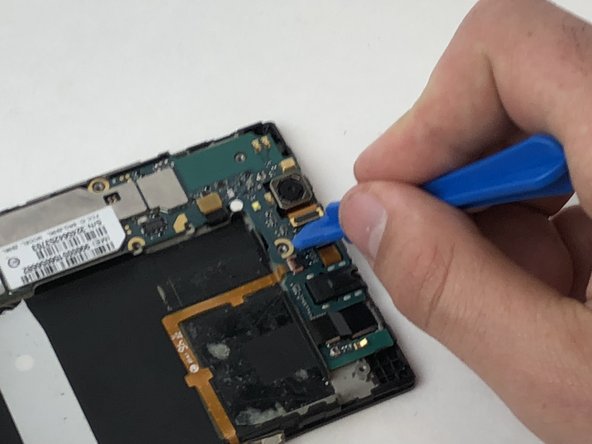
- Using a plastic opening tool, disconnect the camera from the motherboard.
- Remove the camera from the phone.