Olympus OM-D E-M10 Mark II HDMI and Multi-connector Cover Replacement
ID: 106658
Description: The HDMI Connector Door (also referred to as...
Steps:
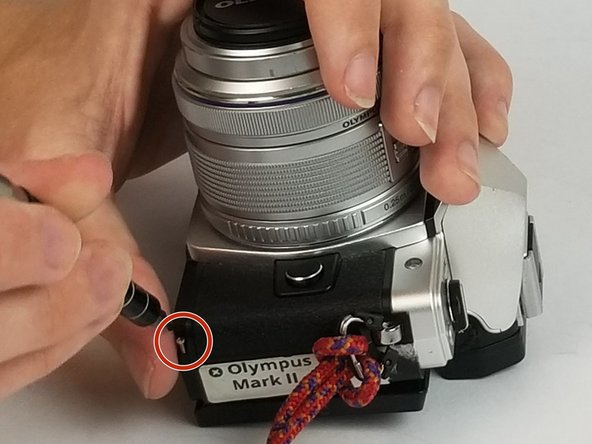
- There are three different types and lengths of screws used to hold the bottom plate of the camera. Make proper note of each screws original position during your disassembly.
- Using the PH00 Phillips-head screwdriver, unscrew the two 1/3 inch screws with silver threads from the the bottom of the camera.
- Using the PH00 Phillips-head screwdriver, unscrew the three 1/3 inch screws with blue threads from the the bottom of the camera.
- Using the PH00 Phillips-head screwdriver, unscrew the three 1/2 inch screws with silver threads from the the bottom of the camera.
- After removing all of the screws, remove the bottom plate from the camera to continue.
- Continuing to use the size PH00 Phillips-head screwdriver, remove the two 3/5 inch screws revealed after removing the bottom plate of the camera.
- Open the HDMI connector door and continue to use the PH00 Phillips-head screwdriver to remove the 3/10 inch screw located underneath the door.
- Proper removal of all 11 screws listed in the steps above from the camera gives the camera the ability to be opened slightly and allows for the door to be lifted off of the hooks holding it in place within the camera.