Yuneec Typhoon H LED Board Replacement
ID: 108280
Description: This guide instructs you to replace the LED...
Steps:
- This guide begins with the propeller already removed.
- Turn the drone upside down to have easy access to the prop arm.
- Twist out the prop motor clockwise.
- Unscrew two 4.9mm screws on the board using a Phillips #000 screwdriver.
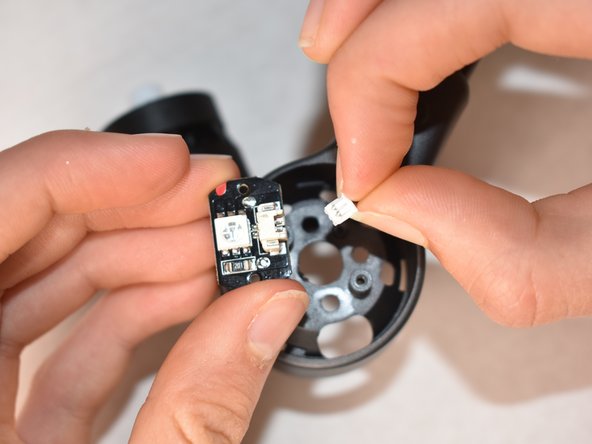
- Hold the LED board in one hand and pinch the plug at the connection to the board with the other hand.
- Pull the plug out from the connection piece.