ZTE Compel Speaker Replacement
ID: 113892
Description: This replacement guide will provide you with...
Steps:
- Place the phone on a flat surface with the screen facing down. This will allow easy access to the removable black plastic cover on the back of the phone.
- In the bottom right corner of the device, use your fingernail to remove the back cover of the phone by lifting up and holding the device with your other hand.
- In the top-right area of the battery, use your fingernail to lift the battery out of the phone.
- If your battery is corroded, take all necessary precautions, such as, gloves and protective eyewear.
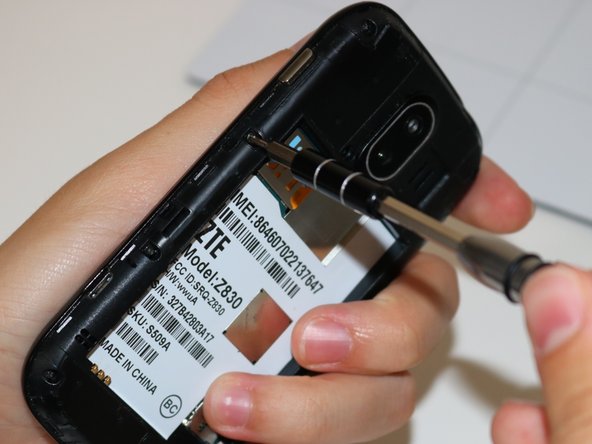
- Remove the 9 screws that measure 4 mm Phillips. Use your PH000 screwdriver attachment.
- Use your iFixit Magnetic Project Mat to hold your removed screws while working on your ZTE Compel
- Insert the flat end of your black plastic spudger into the crease and work it around the entire circumference of the phone until the front and back are separated.
- The speaker is located in the top-left corner of the back plate. Using your tweezers, grip the sides of the speaker and pull it out.
- Be cautious pulling the speaker out as it might move while pulling it due to adhesive wearing away.