Canon Vixia HF R62 Outer Casing Replacement
ID: 113910
Description: This guide is the pre-requisite to all guides...
Steps:
- Remove the strap by undoing the Velcro and pulling it through the thread points.
- Remove the external battery pack by pressing down on the slide release and sliding it out.
- Remove the three 5mm Phillips #000 screws on the bottom of the device.
- On the side of the device, remove the following Phillips #000 screws:
- One 3mm screw
- One 5mm screw
- Remove the panel opposite the display by pulling up perpendicular to the side.
- Remove the 4mm Phillips #000 screw that was exposed after taking off the side panel.
- Remove the three 4mm Phillips #000 screws shown.
- There will be foam covers protecting some or all of these screws. These will need to be removed before you will be able to unscrew them.
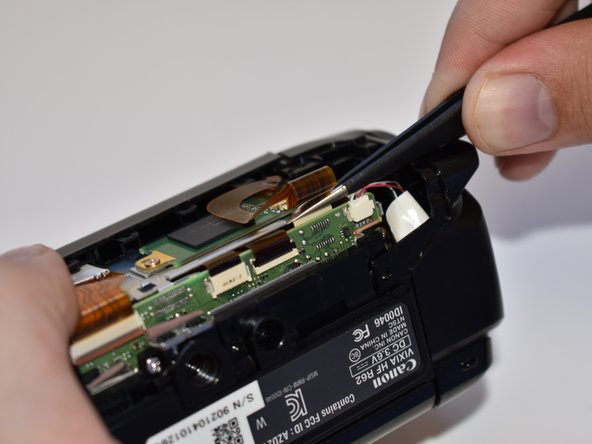
- Using tweezers, disconnect this ribbon cable by pulling straight out.
- Repeat step seven (7) for the remaining three wires shown.
- Grasp the top of the camera and pull straight up to remove the top panel.