BLU Grand M2 Rear Camera Replacement
ID: 117310
Description: This guide will help you replace the...
Steps:
- Check the front panel and confirm you are repairing the BLU Grand M2 (figure 1)
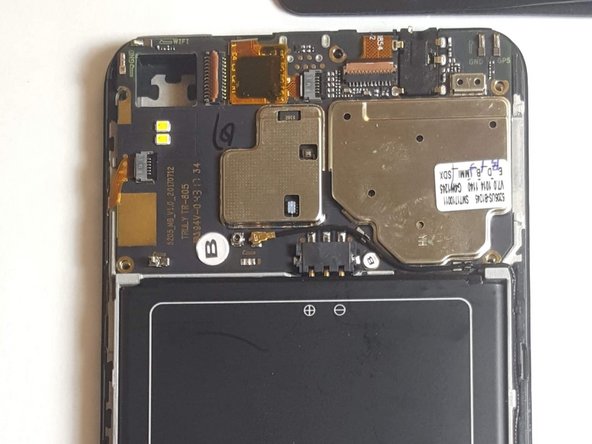
- Turn the device over and identify the the rear-facing camera (figure 2) This is what you will be replacing
- Locate the two torx screws at the bottom of the phone and remove them using the T2 Torx Screwdriver.
- Use the suction and pry tools to carefully remove the black plate.
- Be cautious!! Do not damage the phone display or inside components while using pry and suction tools.
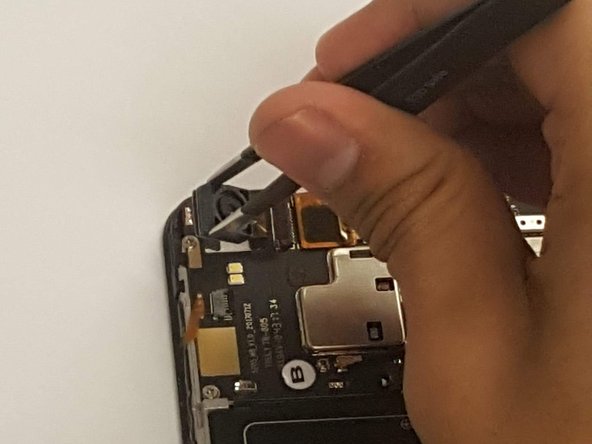
- Identify the back-panel camera in the left -hand corner of the open device. (Figure 1)
- Use the Plastic Pry Tool to carefully to lift the tab on the right-hand side of the connector.
- Carefully remove camera from housing using a pair of tweezers.