Sony Vaio SVE151G11L Motherboard Replacement
ID: 117331
Description: The motherboard is the component that controls...
Steps:
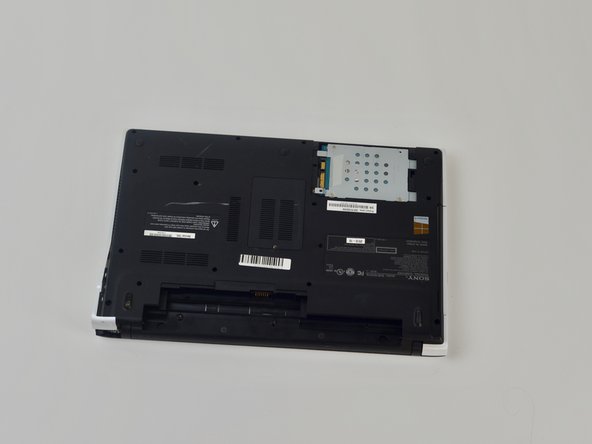
- Turn the laptop over so its underside is facing upwards and visible.
- Standing so that the barcode and warning labels are upright and legible, push the left tab up and away from yourself.
- Standing so that the barcode and warning labels are upright and legible, push the right tab up and away from yourself.
- Locate the small gap where the battery and the laptop shell meet. Lift from the gap and rotate the battery up and away from yourself.
- Pull battery away from laptop.
- Flip laptop over so the bottom is facing upwards.
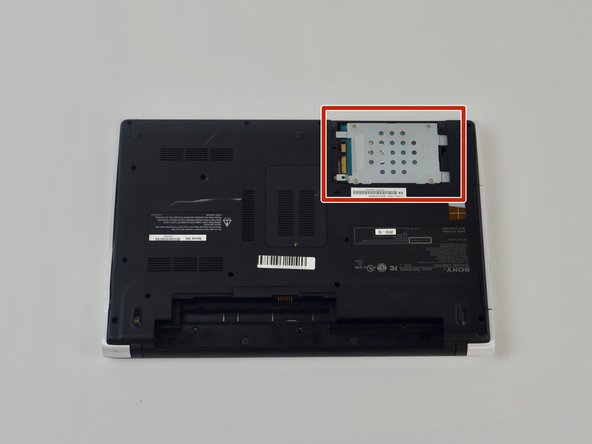
- Remove 2 bottom screws in the top right on the HDD cover, with a size P000 screwdriver.
- Pop open the cover to the HDD.
- Remove the screws on the HDD with a Phillips #000 screwdriver.
- Pull plastic tab away from the laptop.
- Lift HDD away from laptop.
- Flip the laptop over on its backside.
- Remove the screws holding the motherboard in place.
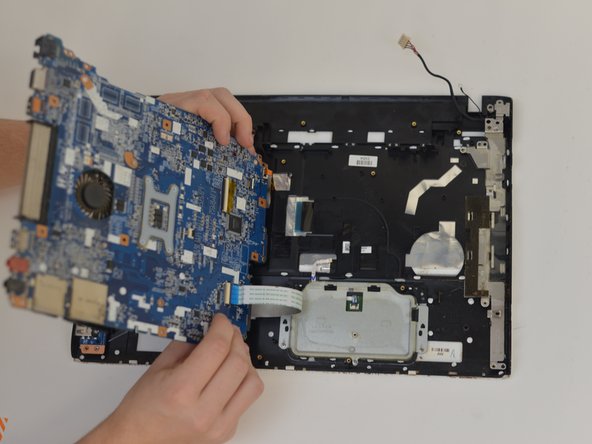
- Pop the motherboard away from the frame.
- Remove the ribbon cable from the motherboard.
- Remove motherboard from the laptop.