Sony Cassette Deck TC KE200 Repair
ID: 117334
Description: In this guide, we will be replacing the Motor...
Steps:
- Remove the screws from the bottom.
- Remove the screws from the side.
- Carefully remove the cassette deck from the metal base.
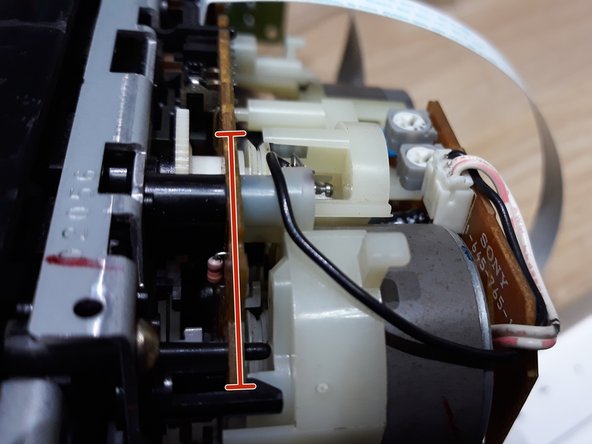
- Remove the black cable on the left side.
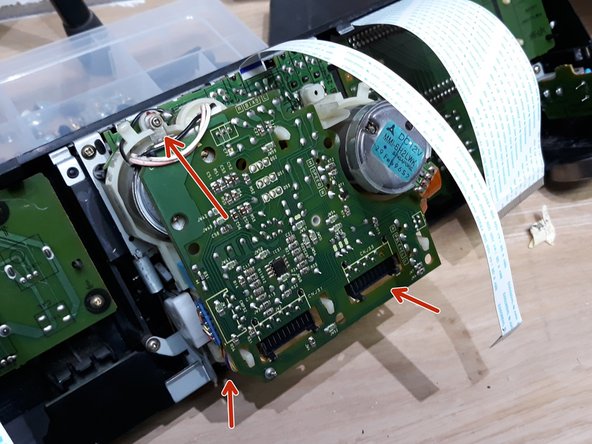
- Remove the white flat ribbon cables.
- Remove the small screw in order to change the ruble inside the cassette player mechanisms.
- Remove the gray power cables.
- Remove the small screw.
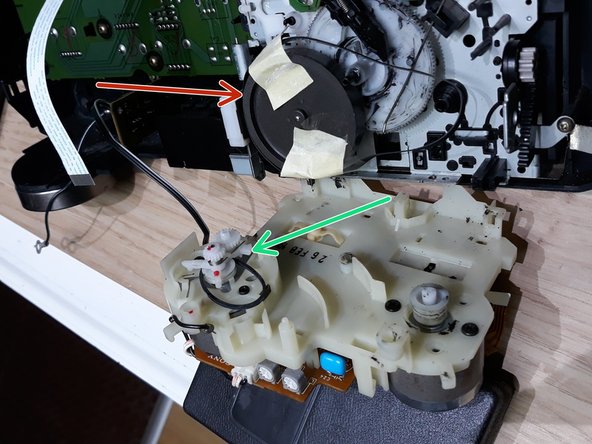
- Now you should be able to see the wheel location. Change the rubber.
- Replace the big belt.
- Replace the small (green) belt.
- Use a little tape to hold the belt. When closing, remove the tape.
- Insert the small screw and close the cassette player with new straps.
- Connect all cables and flat, white ribbon cables.
- Close everything up and you're done with the repair!
- Hope this repair helped you, please leave a comment!