HP ProBook 440 G1 Keyboard Replacement
ID: 117377
Description: How to remove and replace the keyboard of an HP...
Steps:
- Make sure the laptop is turned off before you start.
- Push and hold the release tab on the right and left toward the center.
- Pull the battery out.
- Push and hold the release tabs on the right and left toward the center again.
- Slide the backplate off.
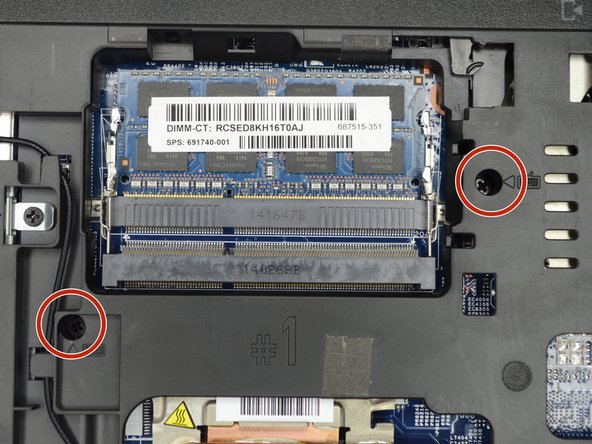
- Locate the two screws on the back of the laptop, holding the keyboard.
- Remove the two screws using a Phillips #00 screwdriver.
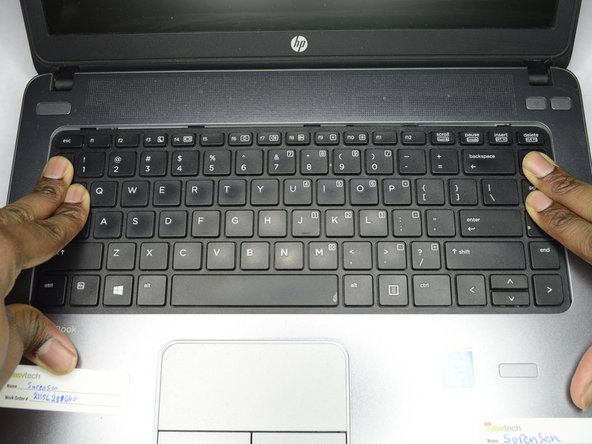
- Flip the computer over so as to see the keyboard.
- Place both hands on the keyboard and slide it back.
- The keyboard will only slide back a small amount.
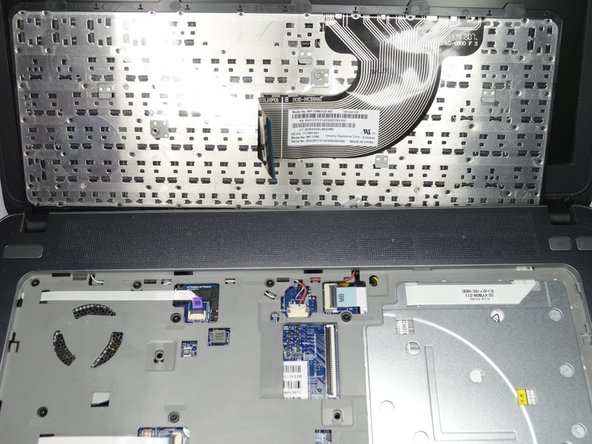
- Using a plastic opening tool, pull the keyboard up.
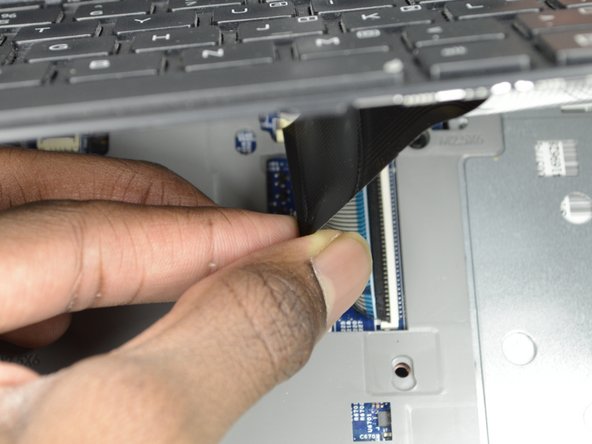
- Locate the connector strip between the keyboard and the laptop.
- Pull the strip away from the connector until it unplugs.
- It may take some force to make the strip disconnect.