Acer Chromebook C720-2827 Trackpad Replacement
ID: 121918
Description: Use this guide to replace the trackpad on your...
Steps:
- Remove the thirteen 6.0mm screws on the back panel using your Phillips #1 screwdriver.
- Pry the back panel open with the plastic opening tool.
- Remove the two 6.0mm screws securing the battery with your Phillips #1 screwdriver.
- Carefully pull out the battery wire connected to the battery port.
- Slowly lift the battery to remove it from the Chromebook.
- Using a spudger, pry up the locking bar of the ZIF connector on the trackpad and remove the ribbon cable.
- Peel off the clear plastic covering the screws.
- Remove the five grey 2.5 mm screws securing the trackpad with a Phillips #1 screwdriver.
- Remove another four silver 2.9mm Phillips #1 screws from the silver bracket atop the trackpad with your driver.
- Lift up the silver bracket.
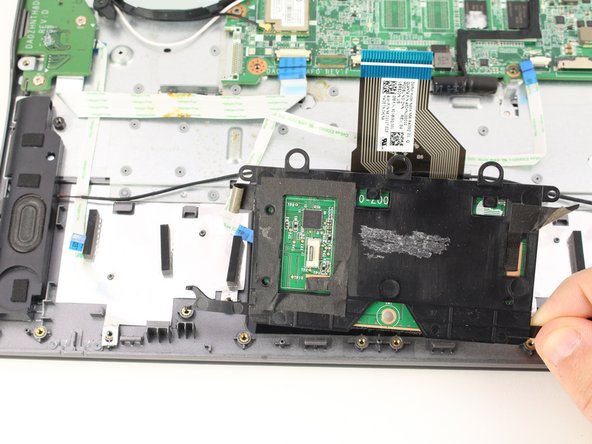
- Remove the trackpad by lifting it up from the case.