GOgroove FlexSMART X2 Skip Button Replacement
ID: 121985
Description: I have pressed skip so many items that the...
Steps:
- A quick overview of the device.
- Pry off the plastic insert, covering the screws, its held in with double sided tape.
- Remove the 4 small screws, the 2 next to the buttons are longer.
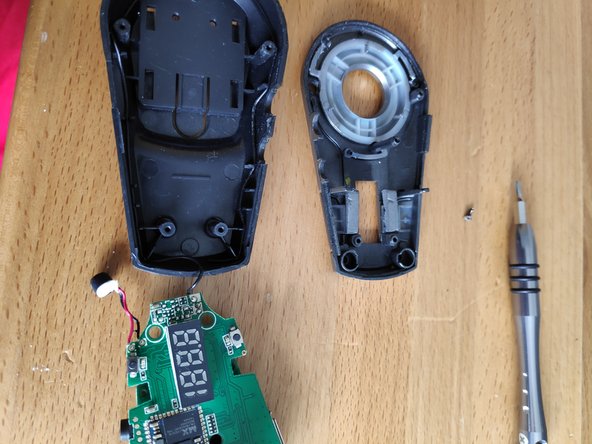
- The back base pulls away, the Gray top is attached with a small screw though the PCB, also watch out for the FM antenna attached to the black base
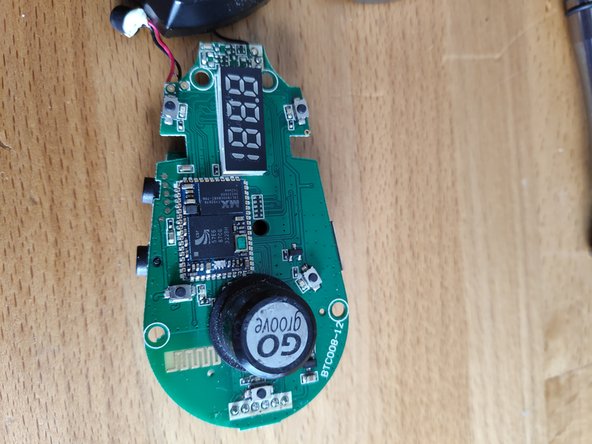
- Remove the small screw that holds the stacked PCBs on to the gray lid.
- Remove the Gray cover, also carefully removing the microphone from its housing.
- Quick view of inside
- Side by Side of the original and replacement buttons.
- I de-soldered the button on one side and tried to lift it off, ripped off the track on the other side in the process.
- Managed to get the track to solder on to the other side of the new button.
- Reassembled in reverse order, and now works but not as well as I had hoped, ah well hopefully it will be useful for someone else who wants to take this apart.