Asus Chromebook C300M USB Port Replacement
ID: 121990
Description: This repair guide will give step-by-step...
Steps:
- Flip the chromebook on its front.
- Remove the screws on the back using the Phillips #1 screwdriver.
- Remove the six 8mm screws.
- Remove the five 5mm screws.
- Separate the plastic case from the keyboard at the seam using a plastic opening tool.
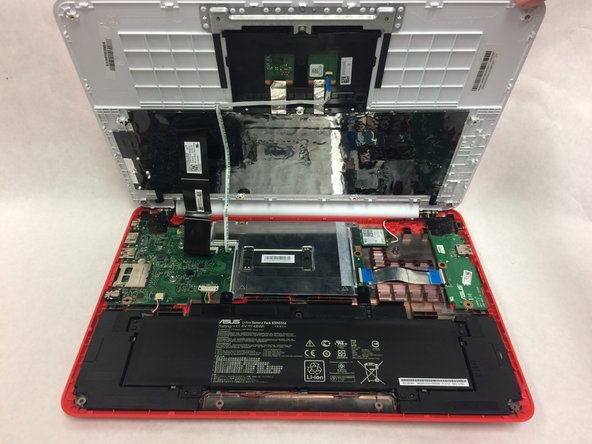
- Fully separate the plastic case from the keyboard by lifting it upward.
- The small and wide ribbon cables connect the keyboard to the motherboard.
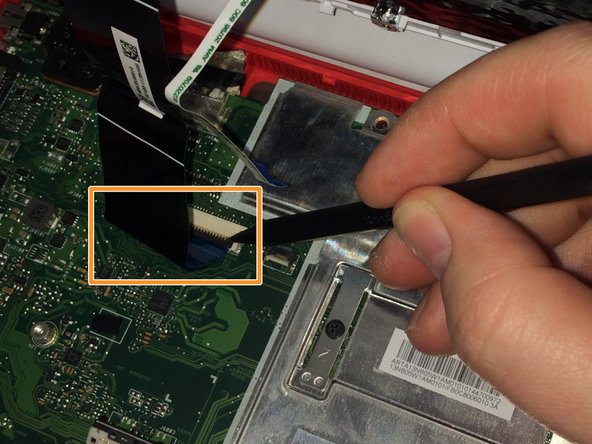
- Disconnect the small ribbon cable by lifting the flap and sliding it out of the motherboard input toward the battery using a spudger.
- Disconnect the wide ribbon cable by lifting the flap and sliding it out of the motherboard input toward the battery using a spudger.
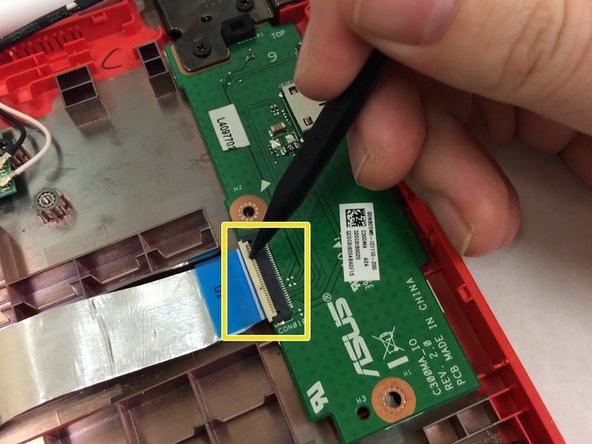
- Disconnect the USB port in the top right corner from the motherboard.
- Unplug the the wide ribbon cable using spudger.
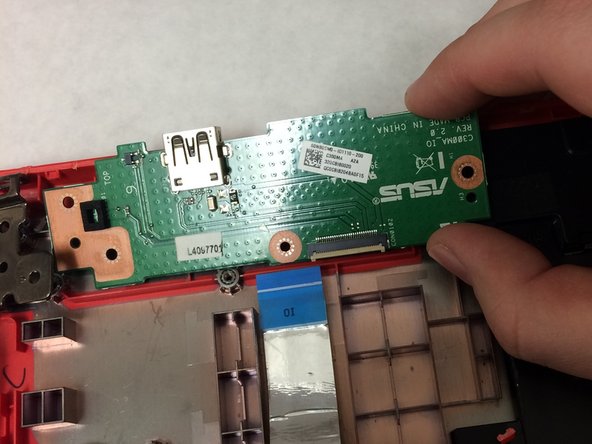
- Remove the single 3mm screw on the left and bottom side of the USB Port using the Phillips #1 screwdriver.
- Remove the three 5mm screws on the upper part of the USB port with the same screwdriver.
- Lift the edge of the white casing. Remove the USB Port by pulling it toward the bottom of the laptop.