ASUS ZENFONE 3 Zoom Volume/Power Buttons Replacement
ID: 124768
Description: This guide is designed to show how to safely...
Steps:
- Use sim card attachment for the screwdriver found in the IFIXIT box to remove the sim card tray from the phone.
- Remove the 3.5 mm screws on both sides of the charging port, on the bottom of the phone, using the T2 screwdriver.
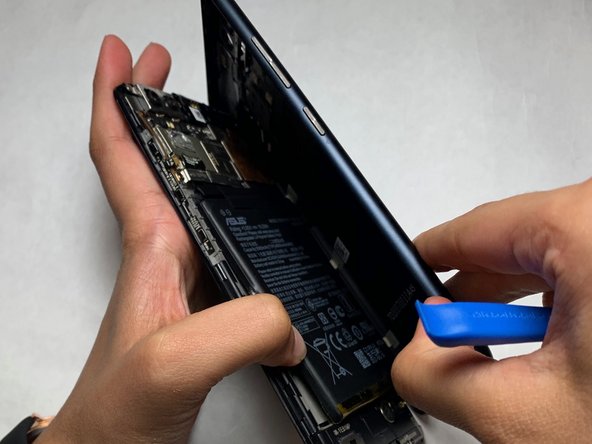
- Use the opening tool to separate the screen and the plastic body of the phone.
- Use the angled tweezers to remove the power/volume buttons from the inside of the phone cover.
- The finished product should be the volume and power buttons separated from the back casing of the phone.