Insignia Flex 8 NS-P08A7100 Battery Replacement
ID: 124822
Description:
Steps:
- Begin by using the opening tool to pry open the back cover. Continue around the edge until the back cover pops off.
- Use the opening tool to flip the LCD flex circuit plug upwards. The flex circuit should now be loose. Remove flex circuit by pulling outwards.
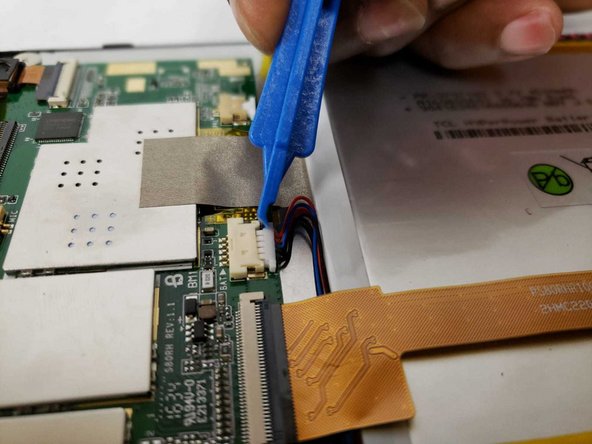
- Use the opening tool to remove the battery cable from the circuit board.
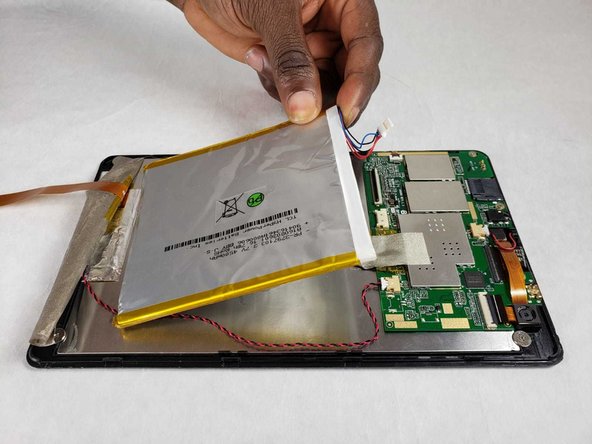
- Remove the adhesive tape from the bottom of the battery.
- Remove plastic adhesive tape from the side of the battery.
- Pry the battery from the back of the LCD screen using the opening tool. Due to the strong adhesive between the battery and screen, this may take some time.