HP Envy Ultrabook 4-1043cl RAM Replacement
ID: 127518
Description: This guide is used to help you replace RAM for...
Steps:
- Flip the laptop over so the bottom is facing you.
- Remove twelve 7.5 mm screws by using the Phillips #00 screwdriver.
- Use plastic opening tool to remove the back cover.
- You might want to remove it slowly and gently because the back cover is very thin and fragile.
- Remove three 4.2mm screws by using the Phillips #00 screwdriver.
- Disconnect the battery cable from the motherboard and remove the battery from the device.
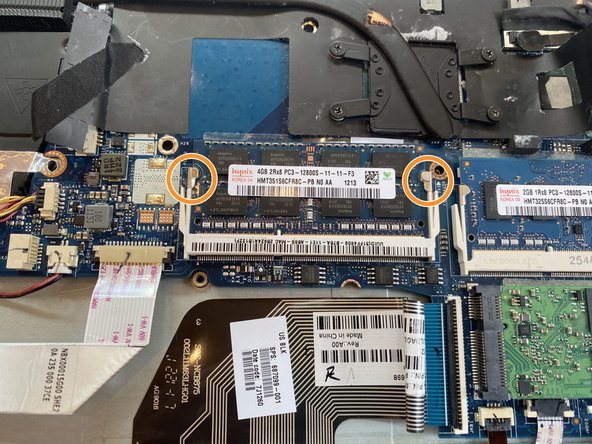
- The RAM lies in the middle-right side of the device.
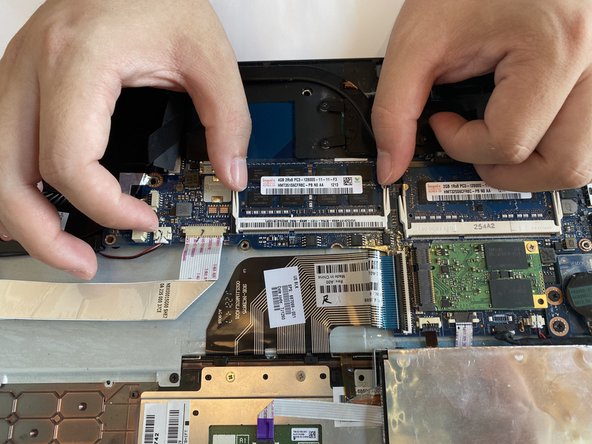
- Use your fingers and push the two clips outwards to release the RAM stick.
- Remove the RAM from the device.
- Repeat the previous two steps to remove any other RAM sticks.