Acer Spin 5 N17W2 Motherboard Replacement
ID: 127598
Description: Motherboard is the main printed circuit board,...
Steps:
- Use the Phillips #1 screwdriver to remove six 6 mm screws.
- Use the same screwdriver to remove six 5mm screws.
- Use an opening tool to pry the back cover open.
- Remove two 5 mm screws by using the Phillips #1 screwdriver.
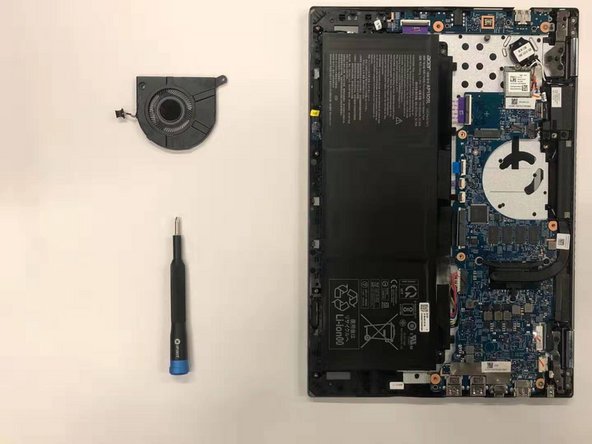
- Use two opening tools to disconnect the cooling fan from the motherboard.
- Remove the fan from the device.
- Remove four 5 mm screws using the Phillips #1 screwdriver.
- Take off the black heat sink (be careful of the grey thermal grease).
- Remove all peripherals connecting to the motherboard.
- Remove the second chip.
- Remove the wireless LAN chip.
- Disconnect the three connection wires.
- Take off the connecting port with black tape.
- Take off the last port with purple tape.
- Remove the motherboard from the device.