Acer Spin 5 N17W2 Screen Assembly Replacement
ID: 127599
Description: This technical guide provides a step-by-step...
Steps:
- Use the Phillips #1 screwdriver to remove the six 6mm screws.
- Use Phillips #1 screwdriver to remove six 5mm screws.
- Use an opening tool to pry the back cover open.
- Use the Phillips #1 screwdriver to remove the three 5mm screws.
- Use the Phillips #1 screwdriver to remove the three 5mm screws on another side of hinge.
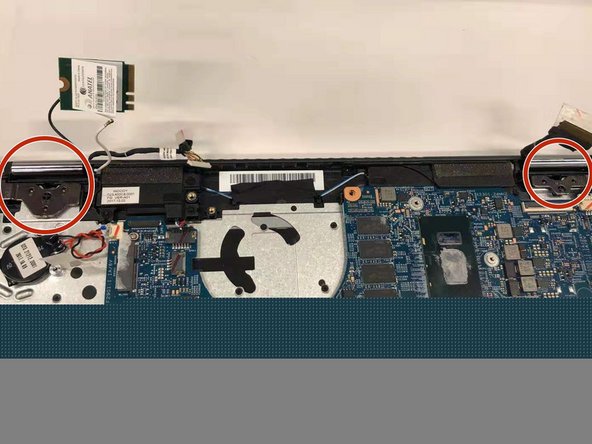
- Disconnect chips from the two end side of hinge.
- Use the plastic opening tool to pry the hinge up.
- Remove the wireless LAN chip from the motherboard.
- Detach the sensors on each side of the hinge from the motherboard.
- Detach the screen assembly from the device.