ASUS Eee Pad Transformer GPS Antenna Replacement
ID: 128018
Description: Is the GPS in your ASUS Eee Pad Transformer no...
Steps:
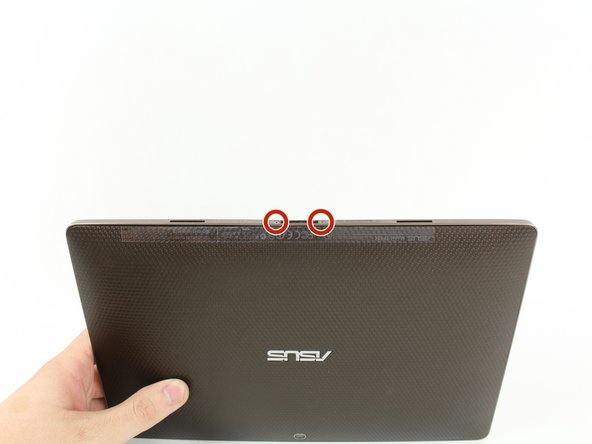
- Use T5 Torx Screwdriver to remove two 4.5 millimeter T5 screws on either side of the port on the bottom of the tablet.
- Use the Plastic Opening Tool to pry between the main tablet body and the outer rim casing. Remove the outer rim casing by prying all the way around the device and pulling the rim upward.
- The physical buttons are located on the outside of the rim on the right side, proceed with the guide to locate internal buttons.
- Remove the four 2 millimeter Phillips #00 screws at the corners of the tablet.
- Use a Phillips #00 Screwdriver to remove the three 3 millimeter screws securing the front panel to the back panel found above the camera area, on the top portion of the tablet.
- Use a Phillips #00 Screwdriver to remove the three 3 millimeter screws securing the front panel to the back panel found on the bottom portion of the tablet near the port.
- Remove back panel by pulling away from the remaining device.
- Remove the GPS antenna using the spudger.
- Use a pair of tweezers to disconnect the two wires.
- Remove the GPS Antenna from the device.