Lenovo Yoga 910-13IKB SSD Replacement
ID: 130655
Description: Boot time and the amount of time it takes for...
Steps:
- Before you begin, be sure to turn off your laptop and unplug it from the outlet.
- Turn the laptop over and remove the ten Torx T5 screws along the perimeter of the bottom panel.
- Remove the panel.
- Use a Phillips screwdriver to remove the four M2 x 1.7 mm screws securing the battery to the laptop.
- Remove the battery.
- Remove the six Phillips screws that attach the trackpad to the device.
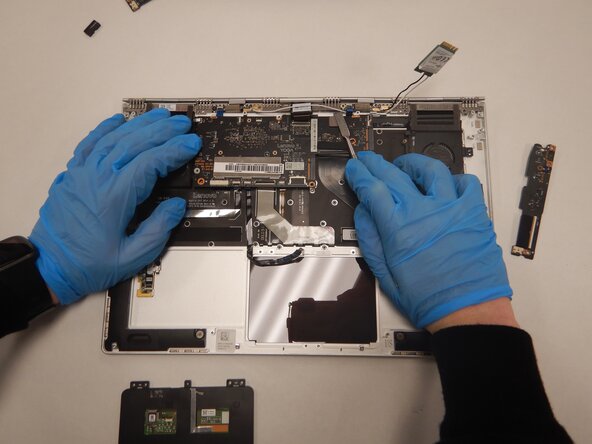
- Use a spudger to disconnect the ribbon cable connector from the trackpad.
- Remove the trackpad using a spudger.
- Use a Phillips screwdriver to remove six screws attached to the USB ports on both sides of the device.
- Detach both ribbon cables attached to each USB port with a spudger, then detach the USB ports.
- Use a small Phillips screwdriver to remove all single screw securing the SSD stick to the motherboard.
- Slide the SSD stick from the port on the motherboard.
- Use a small Phillips screwdriver to remove four screws from the fans.
- Remove the back connector strip using a spudger to pry it off of the device.
- Remove the fans.
- Now, only the bottom panel should remain.
- Remove the 3mm JIS #00 screw holding the storage in place.
- Pull up lightly on the drive and gently pull it out of the connector.