Replace MSI GT72 2QE Dominator Pro Wireless Card
ID: 135710
Description: If the wireless card is no longer present in...
Steps:
- Remove the seven 6 mm Philips #0 screws on the bottom of the case.
- Gently pull from the rear of the case upwards to remove the bottom of the laptop.
- Remove the yellow tape from the wireless card at the center right of the board.
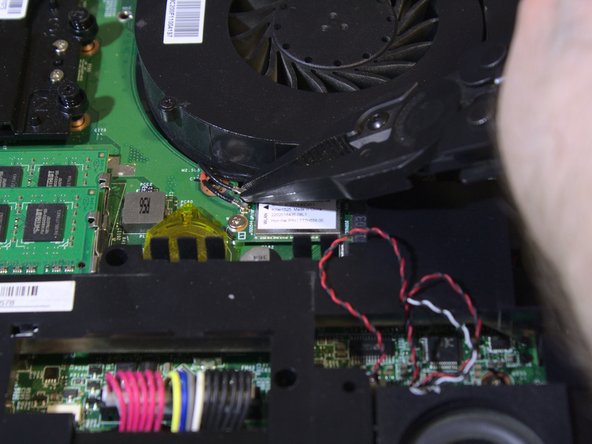
- Using a pair of pliers, remove both wires by pulling straight up from the wireless card.
- Do not jerk or yank too hard as it can break off connectors.
- Remove one Philips #0 screw from the motherboard.
- Pull card up and out from the motherboard.
- Do not touch gold contacts as it can damage the card.