Samsung Galaxy Watch Display Replacement
ID: 136568
Description: Use this guide to replace a cracked or broken...
Steps:
- Remove the four Tri-point #00 screws (4.2 mm length) on the backside of the watch.
- Use an opening tool to get between the back cover and the metal housing of the watch.
- Carefully pry the plastic back cover open.
- Don't remove the back cover yet. There is a flex cable running to the core assembly inside.
- Lay down the watch and lift the back cover to access the sensor connector on the motherboard.
- Use a spudger to disconnect the sensor flex cable from the motherboard.
- Remove the back cover.
- When closing the watch make sure the rubber gasket is undamaged or replace it with a new one.
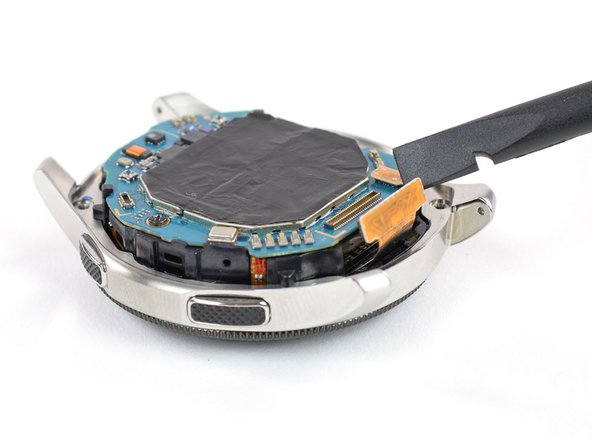
- Use a spudger to disconnect the display flex cable from the motherboard.
- Lift the core unit out of the housing.
- The core's plastic frame sits tight inside the housing.
- Carefully thread the display flex cable through the gap of the core's plastic frame.
- If necessary apply some tape over the display to avoid any injury from glass shards.
- Use your finger or thumb to steadily push down on the display to loosen the adhesive.
- Heating the display with a hair dryer or iOpener helps softening the adhesive.
- Remove the display.