HP Pavilion G6 Screen Replacement
ID: 136708
Description:
Steps:
- Close the laptop and flip it over.
- Slide the release pin to pop the battery.
- Remove the battery completely.
- Open the laptop and locate the screw covers.
- Remove the screw covers at the bottom of the screen with tweezers.
- Keep them somewhere safe as you will need to stick them back after the repair.
- Unscrew the exposed 2 x Philips screws and set them aside.
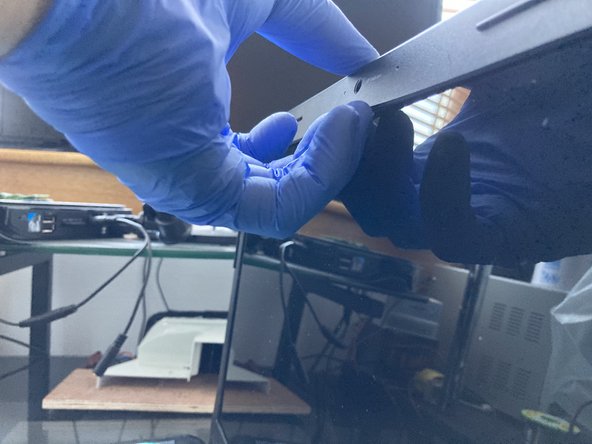
- Starting from the top, pry up the plastic frame with your fingernails or a pry bar.
- If you are using a pry bar, it can scratch the screen. Apply gentle pressure until the plastic frame pop out all around the frame. Don't force it!
- Finally, remove the frame.
- Remove the black Philips screw from the top on each side.
- Remove the bottom screw from the hinge to make an easier access to the screws on the side of the screen.
- Now that the frame is loose, you can remove the 4 x Philips screws holding the screen in the frame.
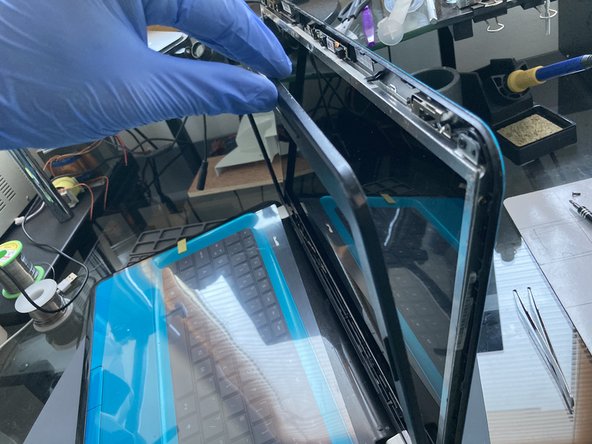
- Turn the laptop back up and carefully tilt the screen out from the frame and rest it on the keyboard.
- Don't try to fully remove it yet as it is still attached to the motherboard by the screen cable!
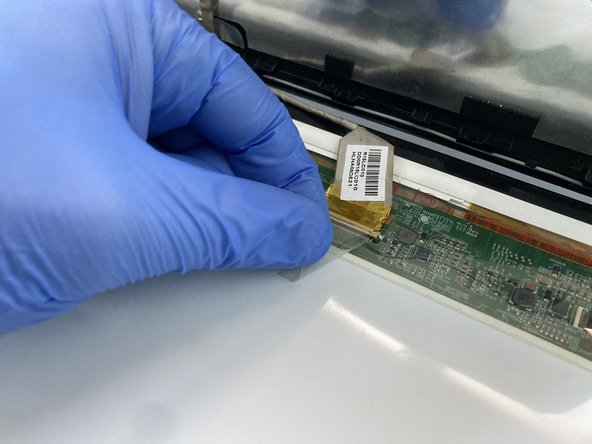
- Gently lift up the adhesive and disconnect the screen connector. That is the screen released and ready for a change for a new one.
- Before ordering a new screen make sure that you order the correct model number that is compatible with your old screen.
- Check the cable connector to make sure you order the correct screen with the correct number of pins.