Apple Watch Series 5 Battery Replacement
ID: 136871
Description: Use this guide to replace a worn-out or dead...
Steps:
- Before starting repairs, take your watch off the charger and power it down.
- If your touchscreen is broken and you can't power off the watch, use this alternate method to power it down.
- Because the gap between the screen and watch body is so thin, a sharp blade is needed to separate the two. Read the following warnings carefully before proceeding.
- Protect your fingers by keeping them completely clear of the knife. If in doubt, protect your free hand with a heavy glove, such as a leather shop glove or gardening glove.
- Be careful not to apply too much pressure, as this might cause the knife to slip and cut you, or damage the watch.
- Wear eye protection. The knife or glass may break, sending pieces flying.
- Attach or remove the watch band as needed to provide more control as you make repairs.
- Prepare an iOpener (or use a hair dryer or heat gun) and heat the face of the watch to loosen the display adhesive.
- Leave the iOpener on the watch for at least two minutes to fully heat the screen and soften the adhesive holding it to the case.
- You may need to reheat the iOpener and repeat this procedure several times until the display adhesive softens.
- Take your time and work carefully to avoid scratching the watch body with your iFlex.
- Don't insert the iFlex more than 1/16th of an inch (~2 mm) to avoid damaging the force touch sensor.
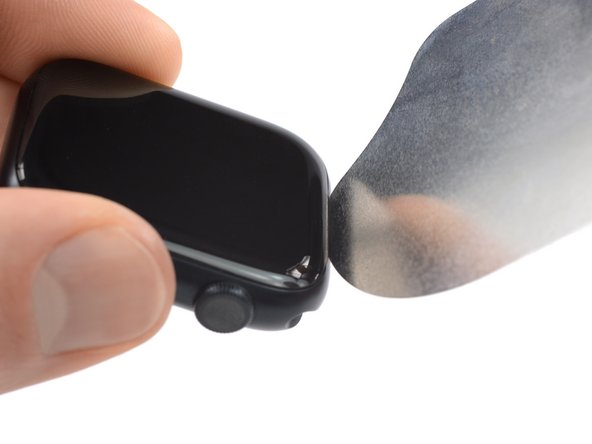
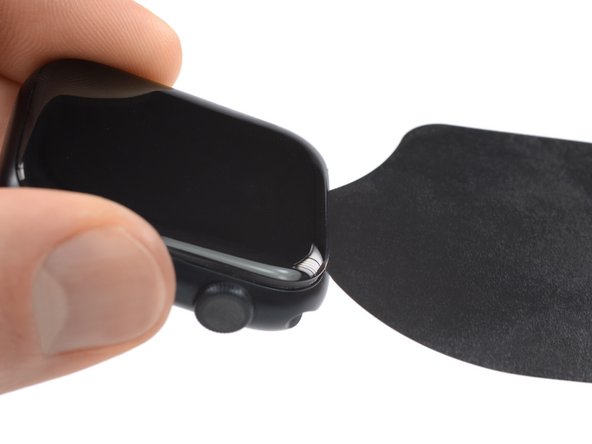
- Insert the iFlex into the thin gap between the display and frame at the edge adjacent to the digital crown.
- Tilt the iFlex down to pry the display open slightly and create a gap between the screen and the watch body.
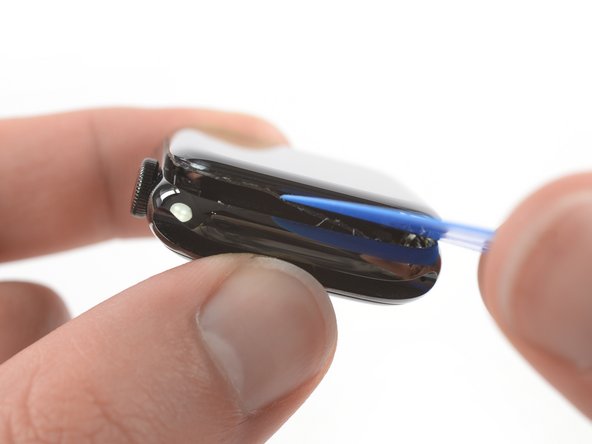
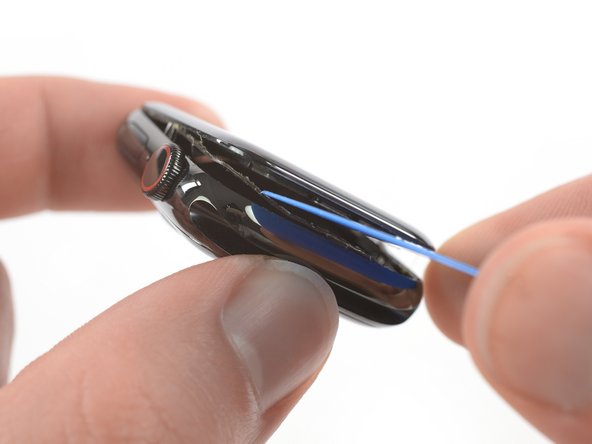
- Once you've opened a small gap with the curved blade, remove the blade and insert the thinner edge of an opening tool into the gap.
- Push the opening tool into the gap, using your thumb as a pivot to lift the display open a bit farther.
- Don't try to fully open or detach the display yet.
- It's likely that the force touch sensor will stick to the display frame instead to the watch's body. In this case, insert an opening pick under the display and carefully separate the Force Touch gasket from the display.
- To preserve the Force Touch gasket, pry carefully under the edge of the display. If the Force Touch gasket splits when lifting the display, or if you separate the gasket layers, you'll also need to replace the Force Touch gasket itself.
- Slide the pick around the display to separate the adhesive between the Force Touch gasket and the display.
- Don't insert the opening pick deeper than 1/16th of an inch (~2 mm) to avoid damaging other components.
- Avoid tensioning the display cables when folding the screen to the back.
- Carefully lift the display open like a book.
- Lift the screen until there's enough space to access the battery.
- Insert an opening pick between the battery and the Taptic Engine.
- A regular opening pick works fine with the 44 mm version of the Apple Watch Series 5. However if you own the 40 mm version and don't have enough space you can customize your opening pick with scissors.
- Slide the opening pick along the edge of the battery to loosen the adhesive.
- The battery adhesive is soft. However, if you're struggling to pry out the battery you can place a heated iOpener on the rear side of the watch to loosen the adhesive. Apply the iOpener for at least two minutes.
- Use constant, steady pressure to slowly pry the battery up, separating it from the adhesive securing it to the mainboard.
- Avoid damaging the display cables, and especially the force touch cable, which covers the battery in one corner during the prying procedure.
- Make sure you don't puncture or deform the battery, as it can catch fire and/or explode if damaged.
- Don't try to remove the battery all the way yet. It is still connected to the watch assembly.
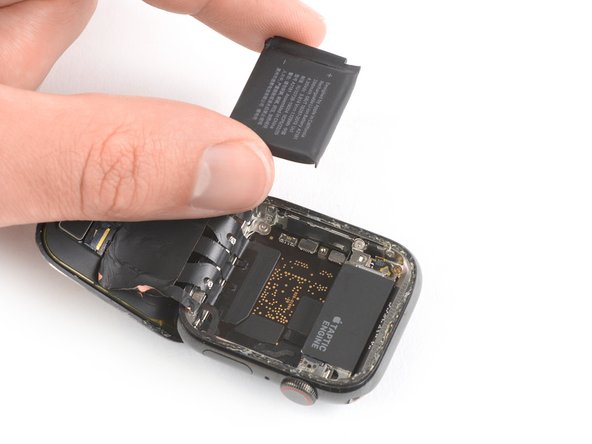
- Carefully lift the battery to a 75-degree angle.
- Remove the 1.1 mm-long Y000 screw.
- Use a pair of tweezers to remove the metal plate covering the battery connector.
- Use the flat end of a spudger to pry up and disconnect the battery flex cable.
- Remove the battery.
- Do not reinstall a damaged or deformed battery, as doing so is a potential safety hazard.
- If you are reusing your old battery during reassembly, you can reuse the existing adhesive to secure the battery during reassembly. Alternatively, remove the old adhesive with high isopropyl alcohol and a lint free cloth and use a small piece of double-sided tape such as Tesa 61395, or a dab of liquid adhesive such as E6000.
- Follow the resealing guide to reseal your watch after reassembly.