Tolino Vision Battery Replacement
ID: 139398
Description: Here is the corrected text: My Tolino E-Book...
Steps:
- First, open the edge of the Tolino with a spudger or pick. The lid is only clipped and can be opened easily.
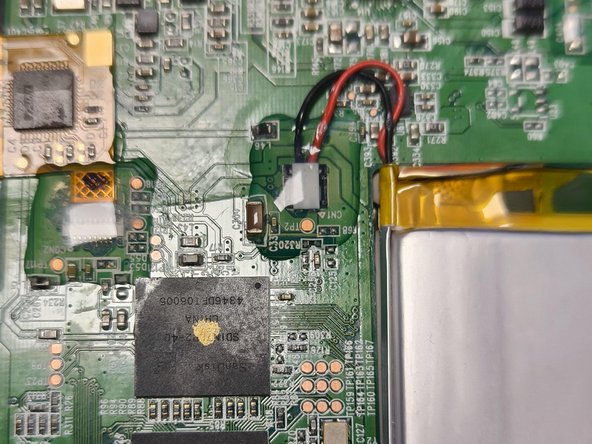
- Update: The cable (and the ribbon cables) are secured with a bit of silicone. This can be removed quite easily, like a sticker.
- Now disconnect the battery cable. Carefully pry it off from underneath.
- The battery is secured in the middle with fairly strong tape. Carefully slide a spudger underneath and loosen it.
- Glue in the new battery and connect it.
- Clip the housing back on and switch on the Tolino.