Remove Dislodged Plug Parts
ID: 139578
Description: This guide is for either replacing the receiver...
Steps:
- Place the headphones down with ear cushions facing you
- Cushions are held in by small tabs along the perimeter. Remove by hand
- Pad is held in by two pieces of double-sided tape. You only need to peel back the left piece, as shown
- Be careful to avoid tearing the pad
- First, remove the two small philips screws securing the backplate to the body
- Turn the headphones over and carefully wiggle the backplate away from the body. Use soft plastic tools if necessary to avoid scratching the plate
- Remove the two small, shorter philips screws securing the board to the body
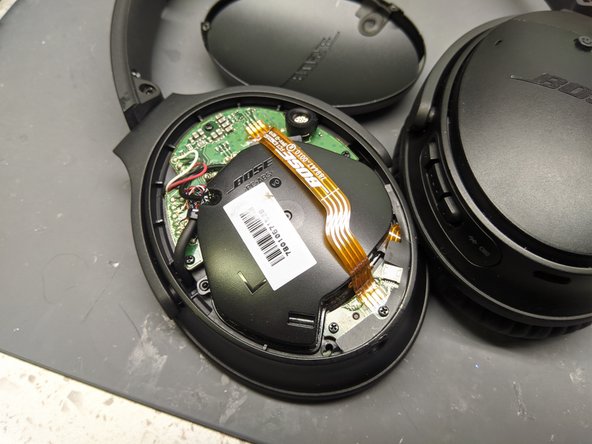
- The board is now held in by vinyl tape (black) and two ribbon cables
- If you are just removing broken plug pieces, do not disconnect these ribbon cables - be careful not to damage them! Instead, simply lift the board enough to poke tweezers or similar through the plug to dislodge broken bits
- If replacing the plug, disconnect the ribbon cables (one is soldered in place) from the circuit board and replace the board