Dell Precision M6800 Keyboard Replacement
ID: 139625
Description:
Steps:
- Replacing Dell Precision M6800's keyboard
- Before any repair, you should remove battery
- Pry and remove the frame around keyboard (it's a bit lighter than rest of casing).
- Unscrew 4 fastening screws which are at bottom of keyboard
- Pry out four hooks which are on the sides of keyboard (two per one site)
- Be carefull to not break of hooks - use constant force and do it slowly
- Pick up a little keyboard and eject it. Than pick up harder but DO NOT take it out
- DO NOT take keyboard out, it is connect to the motherboard and you must unhook it in next step
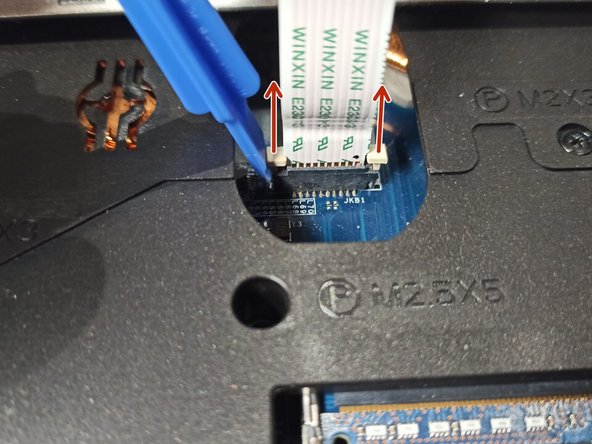
- Pry up the white part of connector (constant for both sides) and eject connecting flex