Dell Latitude E5400 Hard Drive Replacement
ID: 141867
Description:
Steps:
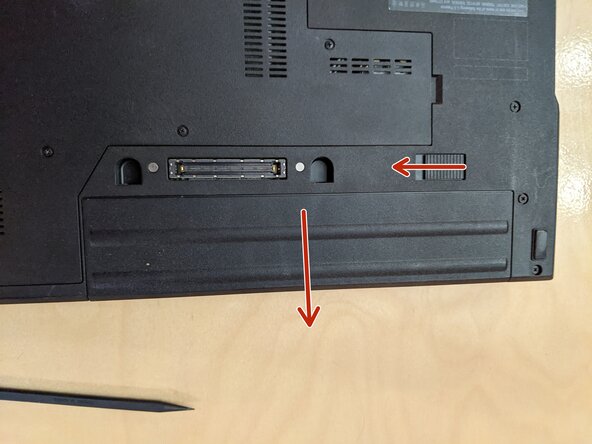
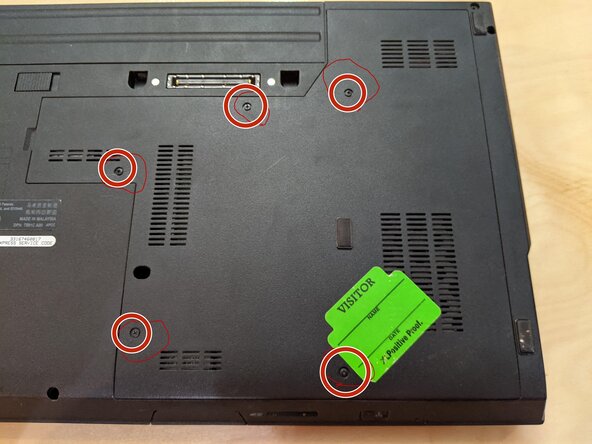
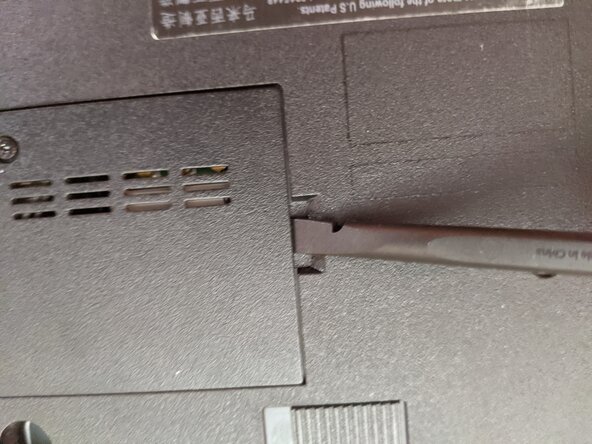
- Remove the battery and access panel from the computer.
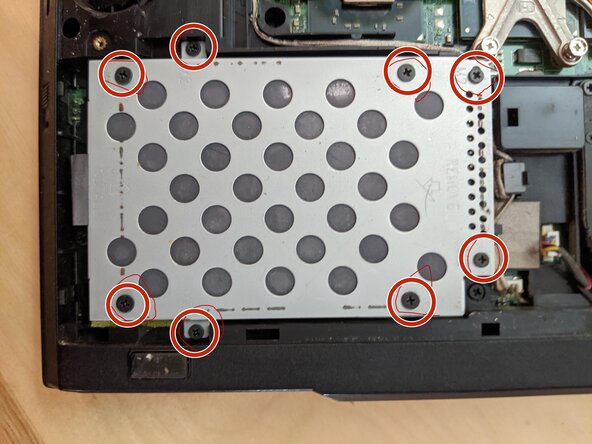
- Remove the eight screws that secure the hard drive to the computer.
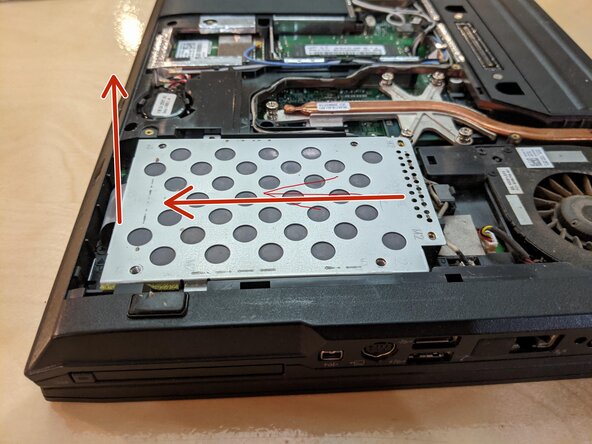
- Disconnect the drive from the SATA connector by sliding it away, then pull the fabric strip up.
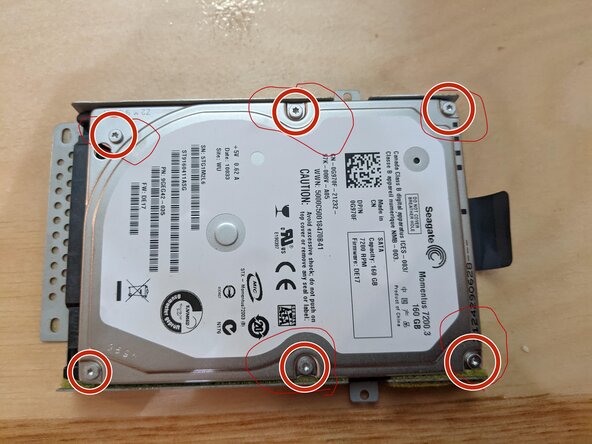
- Remove the six screws securing the hard drive to the plate.