Sennheiser HD 4.50 Battery Replacement
ID: 141869
Description: This guide will demonstrate how to replace a...
Steps:
- Locate the side designation on the headband-earpiece junction.
- The battery is on the left side.
- The motherboard is on the right side.
- Remove the ear pad from the left ear cup.
- Refer to the Ear Pad Removal guide for more guidance.
- Use a Phillips #00 screwdriver to remove the four 10 mm screws holding the ear cup cover in place.
- Use an opening tool to pry open the cover.
- Remove the cover.
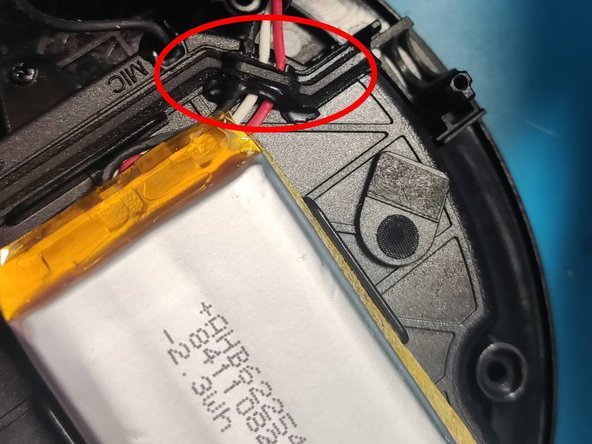
- Use a spudger to pry the battery from the plastic case.
- The battery is held down by a strong adhesive, so it will give resistance. You can apply a few drops of high concentration (>90%) isopropyl alcohol to the base of the battery to loosen it.
- Using tweezers, pull the white battery connector upwards out of its socket.
- Remove the battery.
- Silicone sealant and foam tape has been used to segregate the two compartments. This will rip when the cable is removed. It can be replaced with fresh silicone if desired.