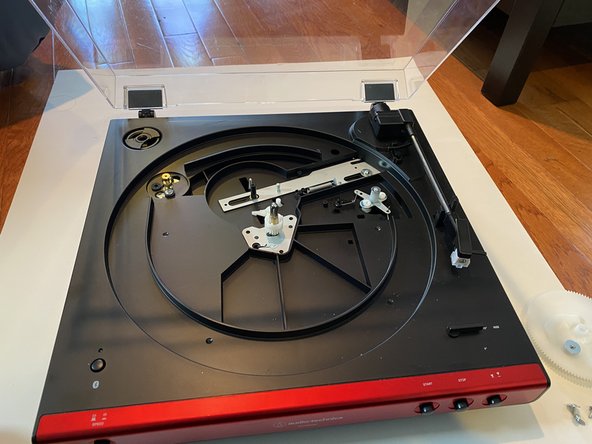
Audio-Technica LP60XBT Turntable Gear Replacement
ID: 141916
Description: At times, the gear that rotates in the...
Steps:
- Remove the felt pad, and put it to the side.
- Turn the platter so that the brass motor pulley can be seen through one of the two outer holes in the platter.
- If the drive belt is hooked around the motor pulley, unhook it.
- When reassembling to device, don't forget to hook the new drive belt to the motor pulley.
- Remove the platter by grasping the platter by its two inner holes and lifting it upwards.
- If the drive belt is unhooked and the tone arm is safely to the side, don’t be afraid to use a small amount of force in lifting the platter if necessary.
- Remove the four screws holding in the gears using a Phillips #0 screwdriver.
- Remove the large white gear by pulling it upwards.
- Remove the small white gear and base by pulling them upwards.
- Insert the small replacement gear first, then the large replacement gear second.
- When replacing the smaller gear and base, be sure to feed the black ground wire through the hole in the base.