Samsung Galaxy Stardust Battery Replacement
ID: 141920
Description: This will show you how to replace the battery...
Steps:
- Hold down the power button located on the right side of the phone.
- After five seconds, the screen will display three different options. Select the "power off" option.
- Place your finger or opening tool in the hole on the side of the phone.
- Carefully pull the back casing away from the phone while keeping the phone stable.
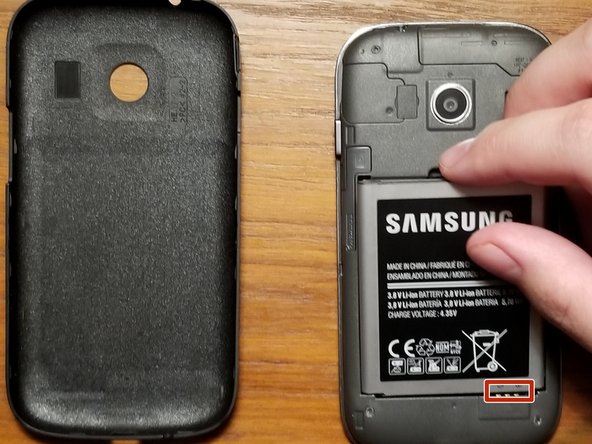
- Place both the phone and the phone casing next to each other with the battery facing upwards.
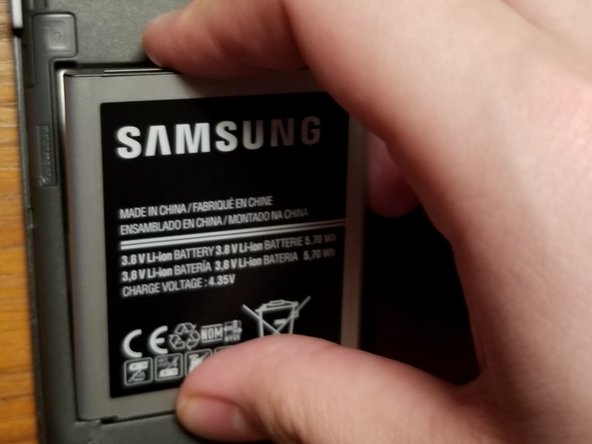
- Carefully lift the battery from the indent above the battery, then place the battery next to the phone.
- Take your new battery and look for the plus and minus signs on the bottom of the battery.
- Line up the signs to the three strips on the bottom of the phone.
- Carefully place the battery in until it is secure inside the phone.
- Take the back of the phone and line up the circular hole to the camera.
- Apply force to the back of the phone with your hand, until the back case snaps onto the phone and is secure.