Nintendo Gameboy Pocket Shell-Side Battery Terminal Corrosion Removal
ID: 142025
Description: If your Gameboy Pocket is not powering on...
Steps:
- Remove the battery cover and batteries.
- Remove the six 8mm screws using a Y1 Tri-point screwdriver.
- Place your screws in a small container to keep them safe.
- Separate the front and back side of the Gameboy by gently pulling them apart.
- Using a flathead screwdriver (or flat piece of plastic), nudge in the clip holding the shell-side battery terminal in place to release it from the shell.
- Using a pair of tweezers, remove the battery terminal from the shell.
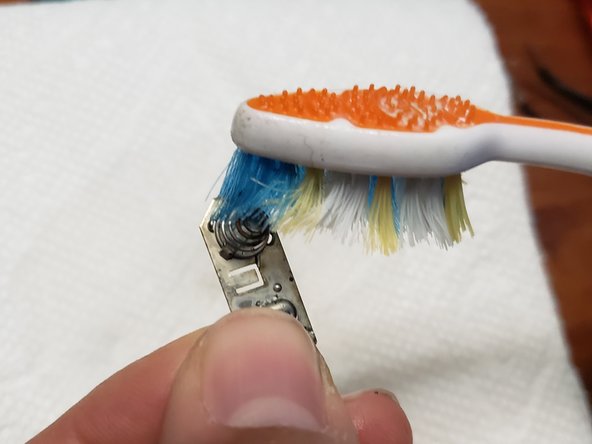
- Add isopropyl alcohol to a toothbrush.
- Spread a paper towel down to keep your workspace clean.
- Scrub the terminal where the corrosion is to remove as much as possible. If most of the corrosion is removed, skip to step 10.
- Use the steel wool to remove as much corrosion as possible.
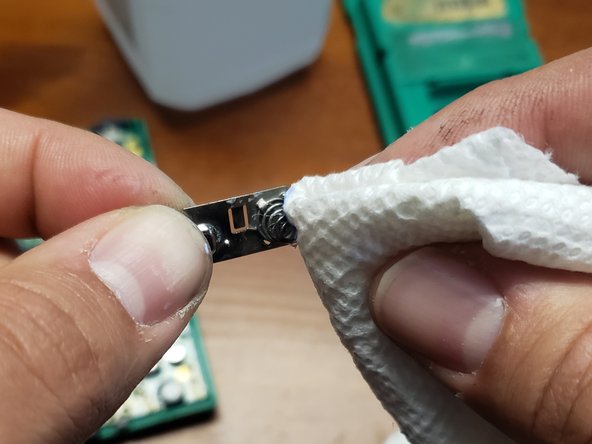
- Add metal polish to a paper towel.
- Polish the battery terminal to remove the remainder of the corrosion.