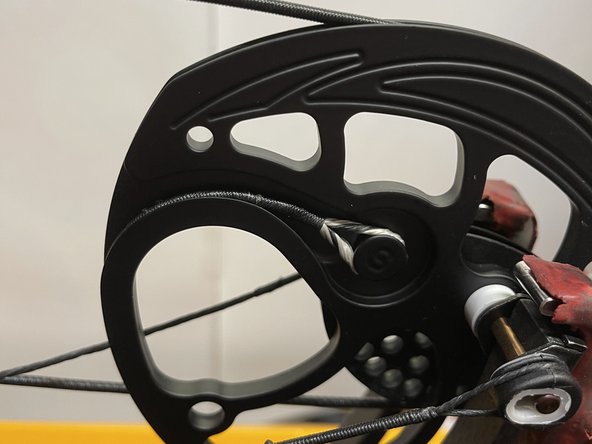
Mission Hammr Bow String and Cables Replacement
ID: 142030
Description: This guide will show how to replace the strings...
Steps:
- Begin by aligning the small, grey arms of the bow press with the limbs of the bow.
- Make sure both the bow press and the bow are safe to use with this particular bow.
- Slowly compress the bow press until the string has some slack, as shown in the picture.
- Do not compress the bow any more than necessary, as this could damage the bow or the bow press.
- Before removing the string or cables, note where each component goes for reassembly. Take a photo if needed.
- First, carefully remove the string.
- The string is the easiest part to remove and reinstall, and taking it off first keeps it out of the way while you work on the cables.
- Remove the cables one at a time.
- After removing each old cable, immediately replace it with the new one to ensure correct placement.
- The cable hooks onto the cam at the point labeled C.
- The string attaches at the point labeled S.
- Once both sets of cables are replaced, double-check that they sit correctly in their grooves before proceeding.
- Finally, replace the string.
- Now with the string on and in the correct groove check through everything once more.
- With the bow press, slowly tighten the strings and cables until it looks like it did before the replacement.
- Use your before picture for a comparison to make sure it's correct.
- Now with the pressure back on the bow everything should be ready to go.
- Double check to make sure the cables align in the tuning holes and the strings and cables have successfully been replaced.