Huawei Honor 7A AUM-L29 Display Replacement
ID: 144583
Description: The replacement display I bought came complete...
Steps:
- Remove the SIM card tray
- Use an iSesamo or a thin tool to pry up the lower cover; be careful of the cable connected to the motherboard for the fingerprint sensor.
- Unscrew the screw securing the connector bracket.
- Remove the bracket by lifting it up.
- Disconnect the fingerprint ribbon cable connector
- disconnect the display ribbon cable connector, now you can separate the lower cover from the rest of the phone
- Unscrew all screws, including the two covered by a small white sticker
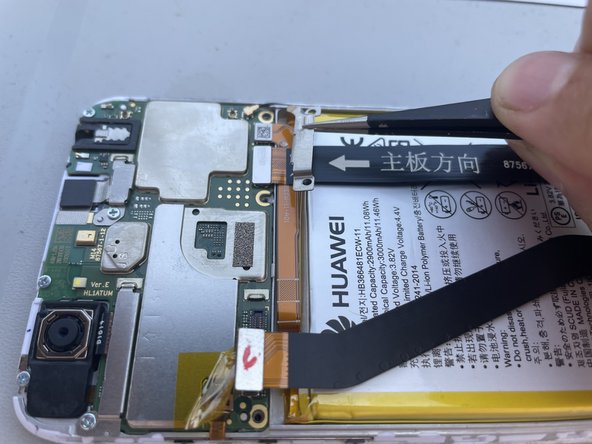
- Remove the battery and lower logic board connector bracket
- Disconnect the black wire connector coming from the lower logic board
- Disconnect the battery and lower logic board connectors
- Disconnect the rear camera connector and remove it
- Disconnect the connector bracket
- Disconnect the front camera connector and remove it
- Disconnect the volume and power button ribbon cable connector
- Use a light heat source to soften the adhesive on the button ribbon cable
- Remove the ribbon cable
- Use a plastic opening tool to pry the motherboard connection points from the frame,
- extract it from the case
- Remove the lower board cover using a spudger
- Disconnect the bottom connector board ribbon cable
- Use an appropriate heat source to soften the adhesive of the bottom logic board
- Use a thin tool to pry up the board and be careful
- Remove the bottom logic board
- If your replacement part does not include these components, proceed with their removal and then assemble all components onto the new display.
- The replacement display I bought already came complete with the vibration-battery-microphone module.