iHome IH11 Speaker Replacement
ID: 14462
Description: This will show you how to install a new speaker...
Steps:
- Unscrew the two 9.0 mm screws with a Phillips #1 screwdriver.
- Remove the translucent bottom case.
- Remove the two 9.0mm screws on the back of the iHome with a Phillips #1 screwdriver.
- Repeat the previous step for the two 9.0mm screws on the bottom.
- Carefully slide the back cover off. There are wires connected to the back cover.
- Remove the two 12.0mm screws holding the speaker to the iHome with a Phillips #1 screwdriver.
- Remove the four 12.0mm screws on the face of the speaker with the Phillips #1 Screwdriver.
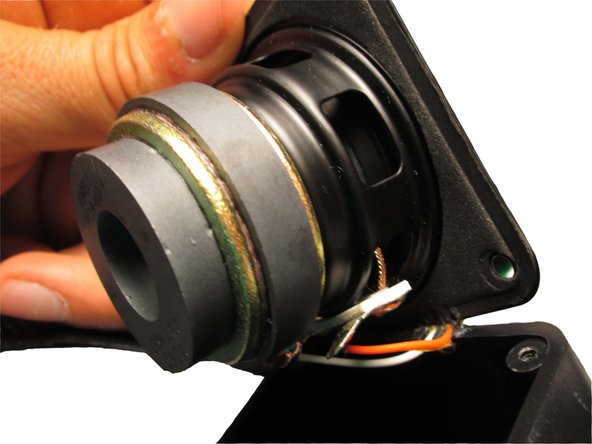
- Carefully lift speaker out of its casing.
- Unsolder the two wires that connect to the speaker.