BLU R2 Plus Rear-Facing Camera Replacement
ID: 144710
Description: Replace your broken rear-facing camera with...
Steps:
- Be sure that your BLU R2 Plus is completely powered off and has less than 25% battery left. This will lower the chance of your battery catching fire and your logic board/motherboard shorting out.
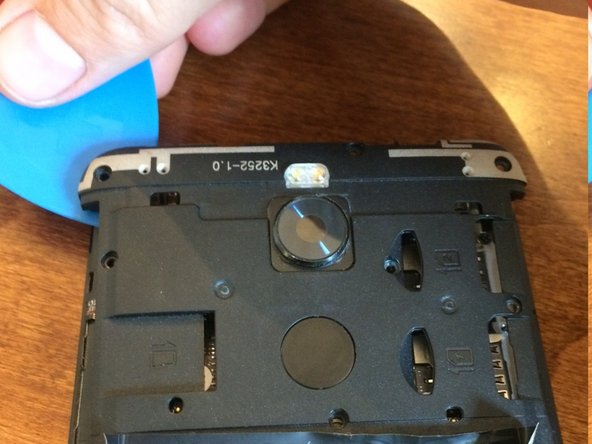
- Insert your pick in the top left-hand corner where the little indent is.
- Slide the pick all the way around the phone until the back cover is loose and ready to be released.
- Remove the Back Cover to gain access to sim card trays, the memory card slot, or just to replace it.
- Use a Phillips #00 screwdriver to remove the 9 screws from the upper plastic plate.
- Use a magnetic mat to organize your screws and prevent you from losing them.
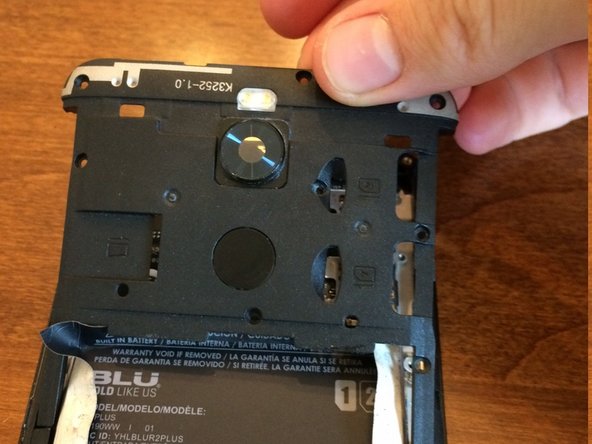
- Use an opening pick to unclip the upper plastic plate from the phone.
- Once unclipped, slide it up and out of the phone.
- Be careful not to break the small arms of the plate upon removal.
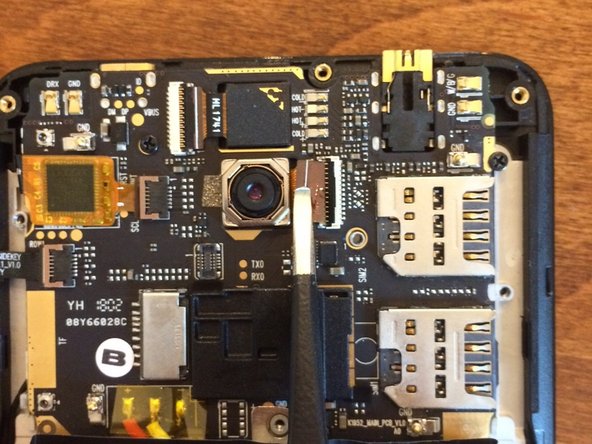
- Use a spudger to unclip the ribbon cable from the motherboard/logic board. Carefully use blunt tweezers or angled tweezers to pull the ribbon cable out of the socket. Then use the tweezers to wiggle the camera out of its socket.
- Be very careful not to break the ribbon cable as it's very fragile. This doesn't really matter if you're taking the camera out as it's already broken.