Samsung Galaxy Buds Live Battery Replacement
ID: 144851
Description: Use this guide to replace a worn-out or dead...
Steps:
- If possible, discharge your Galaxy Buds Live before replacing the battery.
- Place the tip of an opening pick between the plastic cases on the curved inside of the earbud.
- Insert the pick at a steep angle.
- Keep the opening pick at a steep angle and slide it along the top to loosen the case.
- Take your time and do your best not to deform the plastic.
- Remove the case.
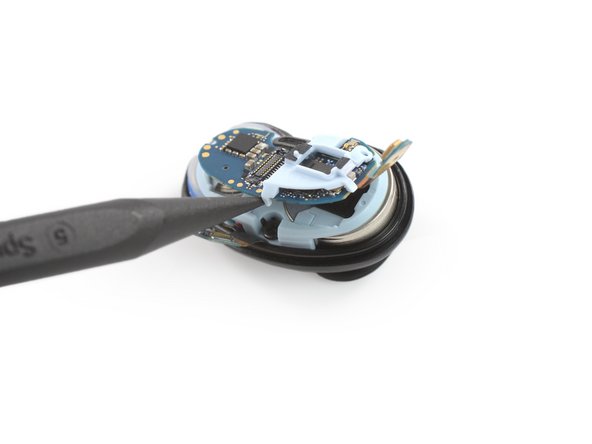
- Use the pointed end of a spudger to lift up and disconnect the main connector.
- Use a spudger to gently lift up the motherboard.
- Remove the motherboard.
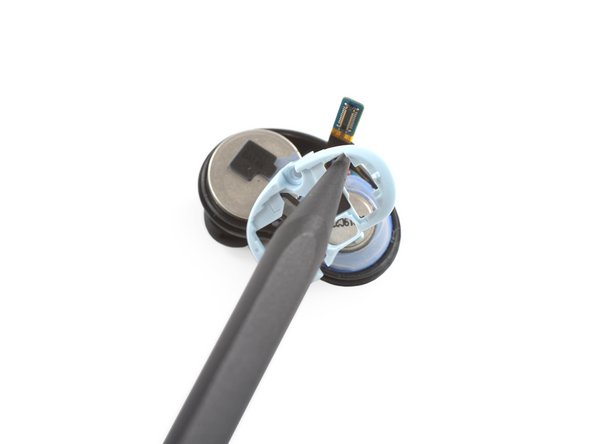
- Use a Phillips screwdriver to remove the 3.4 mm-long screw which is securing the plastic frame.
- Use a spudger or your fingers to remove the plastic frame by pulling it upwards.
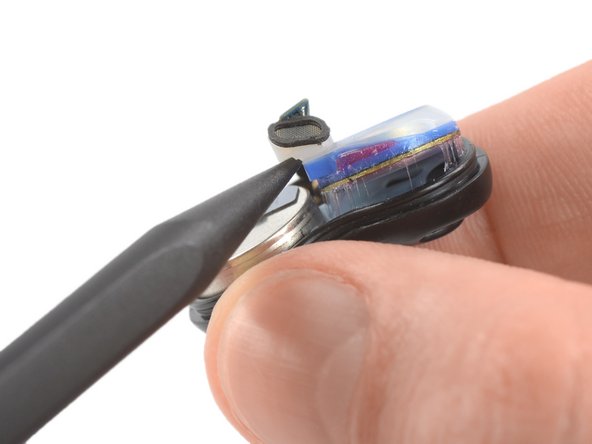
- Use the pointed end of a spudger to slightly lift up the speaker driver obscuring the battery.
- The driver is held in place with light adhesive. Work carefully and don't tug on anything too hard.
- The battery is held in place by a mild adhesive.
- Insert the pointed end of a spudger underneath the battery.
- Use constant, steady pressure to pry the battery up.
- Remove the battery.
- Do not reinstall a damaged battery, as doing so is a potential safety hazard.