Asus VivoBook Max X541UV-BH71-CB Battery Replacement
ID: 144903
Description: A battery is required to run and use laptops....
Steps:
- Flip the laptop upside down so the back of the laptop faces you.
- Use a Phillips #00 screwdriver to remove the ten 1.2 mm screws attached to the back cover of the laptop.
- Turn the laptop upright, then open the laptop so the screen faces you.
- Use a prying tool between the keyboard and bottom grooves to partially remove the laptop backing.
- Do not completely remove the laptop backing because there are ribbon cables connecting the two halves.
- It is recommended to use a plastic prying tool rather than a metal prying tool because it could potentially damage the internals of the laptop.
- Flip the retaining flaps on both keyboard ribbon cable ZIF sockets, then carefully pull the ribbon cables out of their sockets.
- Carefully remove the keyboard panel from the base and set it aside.
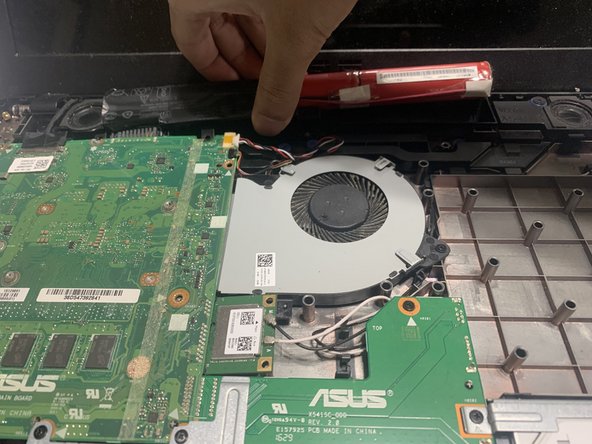
- Remove the two 1.2 mm screws holding the battery in place using the Phillips #00 screwdriver.
- Carefully remove the battery using a plastic opening tool.