Acer Nitro AN515-55 RAM Replacement
ID: 144959
Description: When purchasing gaming computers, the amount of...
Steps:
- Shut off the computer and unplug any sources of power, including the charger.
- Unplug any other devices that may be plugged into the computer.
- Remove eleven screws from the back of the laptop using a Phillips #0 screwdriver.
- Slide a plastic opening pick between the rear panel and laptop body to remove the rear panel.
- Using a metal prying tool to open up the rear panel of your computer may damage the plastic case.
- Using your fingers, disconnect the battery pin by pulling back on the two tabs located at the ends of the pin.
- You do not need to take the entire battery out, just the pin.
- Make sure you have grounded yourself before touching any of your computer's components.
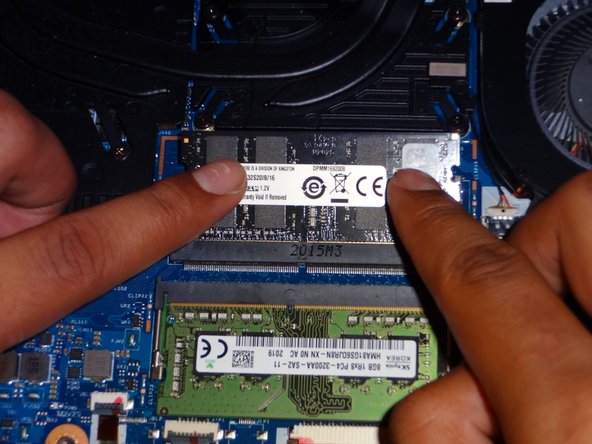
- Slide the RAM stick into the RAM slot at about a 45 degree angle.
- Push the RAM stick down until you hear a click.
- You do need to apply a bit of pressure when pushing down on the RAM.
- Reconnect the battery pin by reinserting the connector back into its slot.
- Place the rear panel back on the computer.
- Screw the panel back in.
- You may need to push down on the panel to lock the panel back in.