How to Fix iPad Touch Jumping/Glitching - Touch IC Replacement
ID: 145006
Description:
Steps:
- Today, we will share how to repair iPad touch jumping. The touch screen of the iPad is still jumping after the touch screen replacement.
- It can be preliminarily judged that the problem is caused by a motherboard fault. Next, we need to check the motherboard. Detach the touch screen and display.
- Remove the screw on the motherboard and insert a Pry Piece to disconnect the battery.
- Remove the screw on the motherboard and insert a Pry Piece to disconnect the battery. Measure the diode values of the two connectors with diode mode of the multimeter. The diode values are normal. It indicates that the circuit connecting the touch connectors to the touch IC is normal.
- Then we try to replace the touch IC. Remove the shielding cover on the motherboard. Since there is another soldered shielding cover on the touch IC, we need to grind the shielding cover and then heat to remove. Grind the shielding cover with a Grinding Pen. Please pay attention not to damage the surrounding components while grinding.
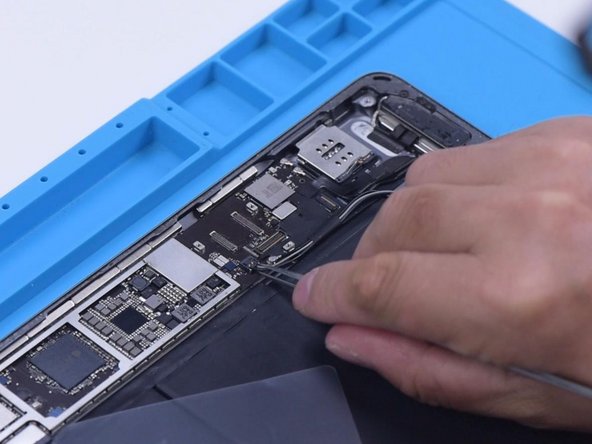
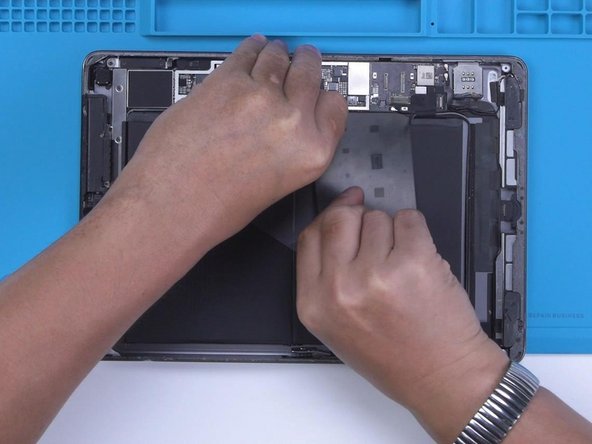
- Tear off the tape after grinding. Disconnect the flex cable. To prevent hard desoldering due to fast heat dissipation, pry up the motherboard with a metal blade.
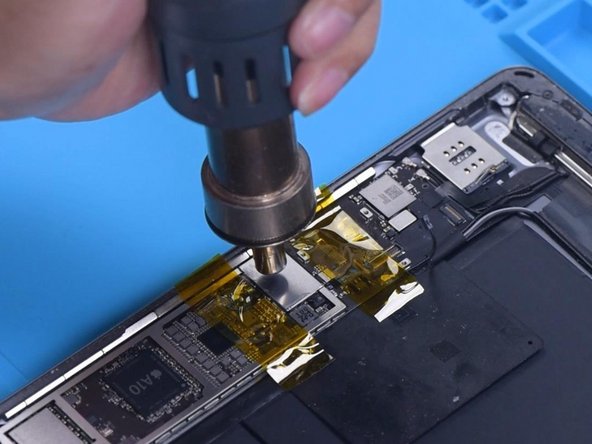
- Protect nearby components with high-temperature tape. Apply some Paste Flux. Remove the shielding cover with the QUICK 861D Hot Air Gun at 400 °C and airflow 45.
- Apply some Paste Flux around the touch IC. Keep heating to remove the Touch IC. Apply some middle-temperature Solder Paste to the bonding pads with the Soldering Iron at 365 °C.
- Add heat with Hot Air Gun to clean the bonding pads. Keep cleaning the bonding pads with Solder Wick. Clean the bonding pads with PCB Cleaner.
- Apply some Paste Flux. Put a new touch IC in position. Heat with a hot air gun to solder.
- After the motherboard has cooled, remove the high-temperature tape. Connect the flex cable. Install the screw. Then install the touch screen and display. Turn on the iPad. The touch screen has returned to normal. The touch jumping problem has disappeared.