How to Fix a Jammed Weiser SmartCode 10 Touchscreen Door Lock
ID: 145033
Description: This guide will help you re-calibrate your...
Steps:
- Make sure the lock is in the unlock position when you start.
- Use a Philips #1 screwdriver to remove the two 8 mm screws from the left and right sides of the lock.
- Lift the faceplate from the lock.
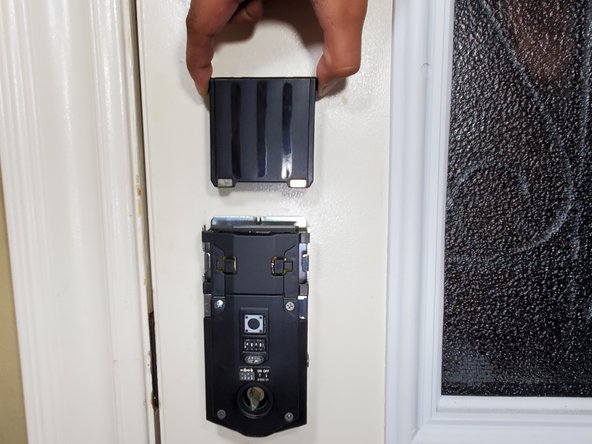
- Locate the battery pack stationed at the top of the lock and the programming button at the center of the lock.
- Pull the battery pack up and off to remove it from the lock housing.
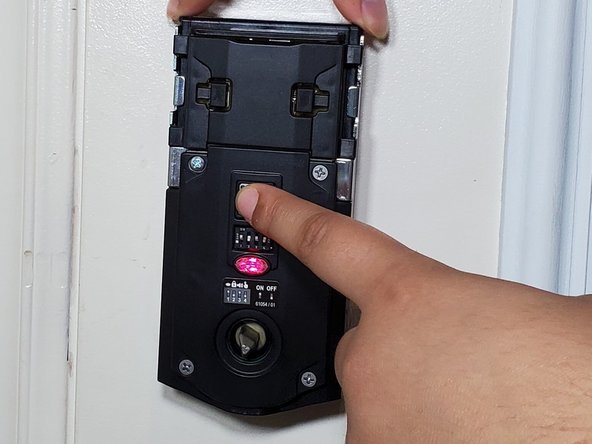
- Re-insert the battery pack while holding down the programming button.
- Ensure the battery pack is fully inserted by pushing it down.
- Release the programming button after the indicator light turns red then green.
- Repeat steps 3 through 5 if the light does not turn green.
- Press the program button again to allow the Smartlock to re-calibrate and reprogram itself.
- The lock will lock and unlock a few times to calibrate and will remain in the lock position when the calibration is complete.
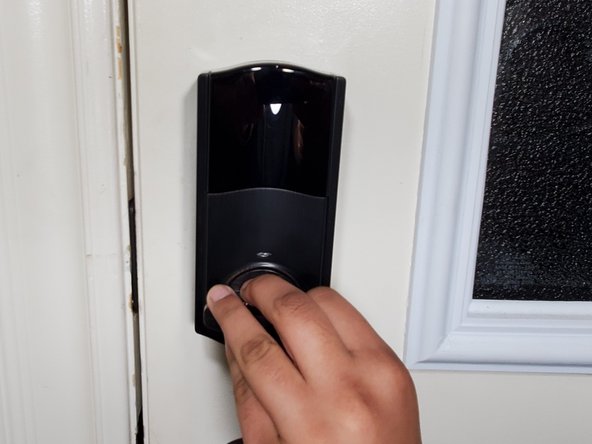
- To reassemble your lock, reseat the faceplate on the lock.
- Twist the lock switch until it aligns with the bolt mechanism and the faceplate sits flush against the lock.
- Use the Phillips #1 screwdriver to secure the two 8 mm screws back into place to conclude the fix.