How to Open the Samsung Galaxy Buds Plus
ID: 145043
Description: Use this guide to open your Samsung Galaxy...
Steps:
- If possible, discharge your Galaxy Buds+ before replacing the battery.
- Use your fingers to remove the silicone eartip by pulling it upwards while slipping it off the earbud.
- Use your fingers or a pair blunt nose tweezers to remove the earbud's rubber wingtip by pulling it upwards while slipping it off the earbud.
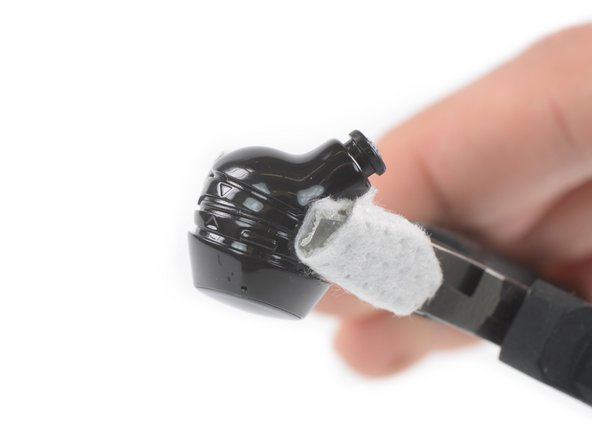
- Use a pair of pliers to hold the earbud horizontally along the seam between the upper and lower halves of the case.
- To protect the earbud from scratches, tape the surface of the pliers or place a cloth between the pincers.
- Apply steady, even pressure to either side of the earbud along the main housing seam to create a gap.
- Insert an opening tool into the gap between the two cases of the earbud.
- Use the opening tool to pry the two cases apart.
- You may need to work your way around the entire earbud with the opening tool.
- Don't remove the upper case yet, it’s still connected to the board.
- Make sure that the flex cable is not under tension during the following step.
- To remove the upper part of the earbud from the board, place it on the table to access the connector.
- Use an opening tool to disconnect the upper earbud case from the board by prying the connector out of its socket.
- Remove the upper earbud case.